
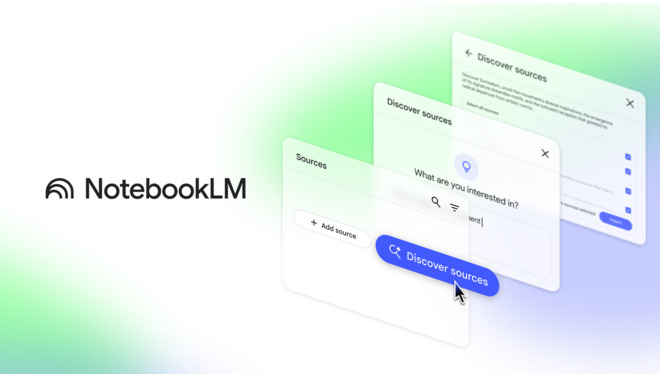
NotebookLM is an experimental, AI-powered research assistant and note-taking tool developed by Google.
Introduction
NotebookLM is an experimental, AI-powered research assistant and note-taking tool developed by Google.
Unlike generic chatbots that pull information from the entire web, NotebookLM is grounded in your specific documents. You upload your sources PDFs, Google Docs, Slides, or website URLs and the AI becomes an expert on that material, allowing you to ask questions, summarize complex topics, and generate creative outputs based solely on the information provided.
Its mission is to help users synthesize and understand information faster by transforming passive reading into an active, conversational dialogue with their own data.
Plus Exclusive
Citation-Based
Audio Overviews
Multimodal Input
Privacy-Focused
Review
NotebookLM is known for its unique focus on grounded, source-based AI interaction. Its primary strength is the elimination of AI hallucinations by restricting answers to the user’s uploaded sources, complete with inline citations.
This makes it incredibly reliable for academic research, legal analysis, and complex project management. The standout feature, Audio Overviews, which turns documents into an engaging podcast-style discussion, is a game-changer for auditory learners. While it currently lacks deep integration with non-Google ecosystems and advanced editing tools, its ability to turn a folder of dense documents into a queryable expert makes it one of the most powerful research tools available today.
Features
Grounded Q&A
Users can ask questions (e.g., "What are the key arguments in this paper?") and get answers derived only from their uploaded sources.
Audio Overviews
Generates a stunningly realistic "podcast" where two AI hosts discuss and summarize the material in the notebook, complete with banter and analogies.
Inline Citations
Every AI response comes with footnote citations; clicking a citation highlights the exact passage in the source document for verification.
Automatic Summarization
Instantly creates a summary, key themes list, and suggested questions as soon as a source is uploaded.
Suggested Actions
Offers one-click tools to transform notes into specific formats: Briefing Doc, FAQ, Timeline, Study Guide, or Table of Contents.
Noteboard
A space to pin interesting responses, save quotes, and draft new ideas alongside the source material.
Best Suited for
Students & Academics
Ideal for summarizing textbooks, papers, and lecture notes into study guides and quizzes.
Researchers
Perfect for synthesizing findings across multiple journal articles and identifying connections between sources.
Content Creators
Excellent for turning research notes into blog posts, scripts, or podcast concepts.
Auditory Learners
The Audio Overview feature is uniquely suited for users who prefer listening to learn complex material.
Legal & Financial Professionals
A strong tool for navigating dense contracts and reports to extract key clauses and data points.
Project Managers
Useful for querying project specifications, meeting notes, and PRDs to find specific details quickly.
Strengths
Grounding AI in user sources with citations.
Audio Overviews are a breakthrough feature, offering a completely new, accessible way to consume written content.
Instantly synthesizes up to 50 sources (PDFs, Docs) into a single knowledge base.
Clean, Google-native interface.
Weakness
The platform is limited to the sources provided.
The tool currently lacks collaborative features.
Getting started with: step by step guide
The NotebookLM workflow is designed to be a private, focused research session.
Step 1: Create Notebook
The user starts by creating a new “Notebook” dedicated to a specific project or topic.
Step 2: Add Sources
The user uploads relevant documents (PDFs, Google Docs, Slides) or pastes website URLs into the notebook.
Step 3: Review Summary
NotebookLM automatically generates a “Source Guide” with a summary and key topics for the uploaded materials.
Step 4: Ask Questions
The user types questions into the chat box (e.g., “Compare the revenue figures in Q1 vs Q4”). The AI answers with citations.
Step 5: Generate Audio
The user clicks “Audio Overview” to generate a 5-10 minute podcast summarizing the material for on-the-go listening.
Step 6:Save Notes
The user pins useful answers to the Note Board and uses them to draft a final document or study guide.
Frequently Asked Questions
Q: Is NotebookLM free?
A: Yes, the personal version of NotebookLM is currently free for anyone with a Google account.
Q: Does Google use my data to train its models?
A: Google states that personal data in NotebookLM is not used to train the base algorithms for its public AI models, prioritizing user privacy.
Q: How many documents can I upload?
A: You can upload up to 50 sources per notebook, with each source containing up to 500,000 words.
Q: Can it summarize YouTube videos?
A: You simply join the Discord server for Midjourney, play around a little with text prompts, and then upgrade to a paid option which gets into way more detail.
Q: What is an "Audio Overview"?
A: It is an AI-generated audio file where two virtual hosts discuss the content of your uploaded documents, summarizing key points in a conversational “podcast” format.
Q: Can I collaborate with others in a Notebook?
A: Yes, NotebookLM supports multilingual sources and queries, although the interface and Audio Overviews are primarily optimized for English.
Q: Does it work with languages other than English?
A: NotebookLM currently focuses on text-based sources. It does not perform OCR on images or handwritten notes; they must be converted to text first.
Q: Can I upload images or handwritten notes?
A: The citations are highly accurate because the model is grounded in your specific documents. Clicking a citation will take you directly to the relevant paragraph in the source view.
Q: Can I export my notes?
A: Yes, you can export your saved notes and AI responses directly to a Google Doc or copy them to your clipboard.
Pricing
NotebookLM is currently free to use for individual users with a Google account. Google has introduced a premium tier (NotebookLM Business/Enterprise) as part of Google Workspace, offering higher usage limits and enterprise-grade data protection.
Basic
$0/month
50 Sources/Notebook, 500k words/Source.Full Q&A, Audio Overviews, Citations, 100 Notebooks limit.
Standard
Custom
Enterprise data protection, admin controls (via Google Workspace).
Pro
Alternatives
Humata AI
A strong competitor for PDF Q&A, offering similar citation-based answers but with a focus on enterprise security and OCR.
ChatPDF
A popular, simple tool for chatting with single PDF files, though it lacks the multi-source synthesis of NotebookLM.
Unblocked
Focuses on bridging codebases with documentation for developers, serving a more technical niche.
Share it on social media:

NotebookLM
Sale Has Ended