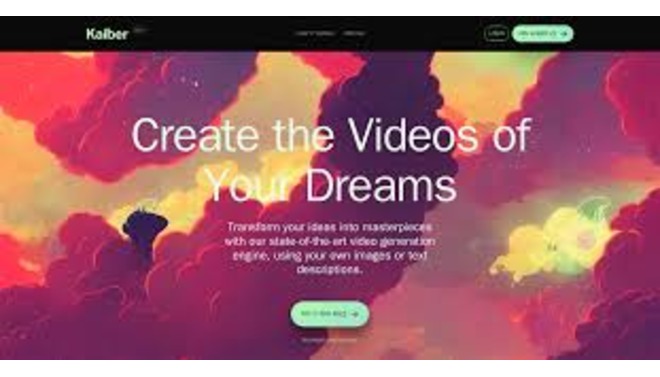
Kaiber AI is a powerful generative video platform created by artists, for artists. It specializes in transforming ideas into stunning visual stories using advanced AI models.
Introduction
Kaiber AI is a powerful generative video platform created by artists, for artists.
It specializes in transforming ideas into stunning visual stories using advanced AI models. Kaiber is widely recognized for its audio reactivity features, which allow musicians and creators to generate music videos that pulse and evolve in sync with their tracks.
Beyond music, it offers a suite of tools for transforming text, images, and even existing videos into entirely new styles (like anime, claymation, or cyberpunk) using consistent AI styling. Its mission is to empower creatives with an intuitive “Superstudio” that bridges the gap between imagination and high-fidelity animation without requiring complex 3D software.
Audio Reactivity
Video-to-Video
Text-to-Video
Style Transfer
Superstudio
Review
Kaiber AI earns an excellent is knwon for its creative versatility and audio synchronization capabilities. Its primary strength is its unique ability to create audio-reactive videos, making it the top choice for musicians and visualizers.
The platform’s Transform and Motion tools allow for incredible stylistic experimentation that is hard to replicate elsewhere. While the credit-based pricing can be expensive for high-resolution, long-form content, and the trial options are limited, the quality of its stylistic outputs and its intuitive interface make it an essential tool for creators looking to produce professional-grade animated visuals quickly.
Features
Audioreactivity
The flagship feature that analyzes the stems (beats, rhythm, melody) of an uploaded song and modulates the video generation to move in sync with the music.
Transform (Video-to-Video)
Users upload a source video, and Kaiber redraws it frame-by-frame in a new style while preserving the original motion and composition.
Flipbook
A frame-by-frame animation style that creates a distinct, hand-drawn or stop-motion aesthetic.
Upscaling
Native ability to upscale generated videos to 1080p and 4K resolution for crisp, professional quality.
Camera Controls
Provides granular control over the "camera" movement within the AI generation, allowing users to direct the flow of the video.
Motion
Generates smooth, fluid animations from text or image prompts, allowing for complex camera movements (zoom, pan, rotate).
Best Suited for
Musicians & Bands
Ideal for creating full-length, synchronized music videos and Spotify Canvas visuals (looping videos).
Content Creators
Perfect for generating unique, eye-catching backgrounds and B-roll for YouTube, TikTok, and Instagram.
Digital Artists
Excellent for exploring new visual styles and animating static artwork into dynamic motion pieces.
VJs & Live Performers
Ideal for creating custom visual loops that respond to beats for live event screens.
Marketers
A strong tool for producing high-energy, visually distinct promotional videos that stand out in social feeds.
Filmmakers
Useful for creating stylized sequences, dream sequences, or animated storyboards for pitches.
Strengths
Unmatched audio-reactive tools allow visuals to pulse and change perfectly.
Intuitive “Superstudio” interface simplifies complex generative tasks into a manageable, creative workflow.
Diverse style models (anime, cinematic, 3D) allow users to achieve almost any visual aesthetic from a prompt.
Native 4K upscaling ensures the final output is broadcast-ready, solving the low-resolution issue of many AI tools.
Weakness
Rendering takes time; generating high-quality, long videos is not instant.
Credit consumption is high for long videos or experimentation.
Getting started with: step by step guide
The Kaiber workflow centers on selecting a starting point (image, video, or audio) and applying a creative style.
Step 1: Choose Mode
The user selects a creation mode: Transform (video-to-video), Motion (text/image-to-video), or Flipbook.
Step 2: Upload Source
The user describes the desired output style (e.g., “Cyberpunk city, neon lights, cinematic lighting”) or selects a preset style.
Step 3: Define Style
The user describes the desired output style (e.g., “Cyberpunk city, neon lights, cinematic lighting”) or selects a preset style
Step 4: Configure Settings
The user sets the duration, aspect ratio (e.g., 9:16 for TikTok), camera movement intensity, and audio reactivity sensitivity.
Step 5:Generate Previews
Kaiber generates static previews (frames) to test the style. The user selects the best one to proceed.
Step 6 : Final Render:
The full video is generated. Once complete, the user can Upscale it to 1080p or 4K and download the file.
Frequently Asked Questions
Q: Can I try Kaiber for free?
A: Yes, Kaiber offers a Free Trial (often 5 days or limited credits) for new users to test the platform features, though outputs may have watermarks.
Q: Do I own the rights to the videos I create?
A: Yes, on the Creator and Pro plans, you have full commercial rights to your generated content.
Q: How long can the videos be?
A: Video length depends on your plan and credit balance. You can generate clips up to several minutes long by extending them or stitching scenes together.
Q: Can I upload my own video to change its style?
A: Yes, the Transform feature is designed specifically for this. You upload a video, and Kaiber restyles it (e.g., turning a selfie video into a claymation character).
Q: Does Kaiber work on mobile?
A: Yes, Kaiber has a mobile app (iOS/Android) that allows users to generate and view content on the go.
Q: What happens if I run out of credits?
A: You can purchase Credit Packs (top-ups) instantly without needing to upgrade your entire monthly subscription tier.
Q: Can I control the camera movement?
A: Yes, Kaiber provides Camera Control settings where you can specify zoom (in/out), pan (left/right/up/down), and rotation to direct the video’s flow.
Q: Is there a watermark on the videos?
A: Videos generated on the Free trial usually have a watermark. Paid plans (Creator/Pro) produce watermark-free videos.
Q: How is Kaiber different from Midjourney?
A: Midjourney generates static images. Kaiber generates animated videos that move and evolve over time, often using images (like those from Midjourney) as a starting point.
Pricing
Kaiber AI operates on a credit-based subscription model. Credits are the currency used to generate video seconds, upscale resolution, and create images. The platform offers flexible tiers, including a “pay-as-you-go” Flex plan and subscription plans that provide a monthly allowance of credits.
Basic
$29/month
No Watermark, 1080p/4K upscale, Audio Reactivity, Commercial Rights.
Standard
$149/month
Priority Generation, longer video duration, discount on credit packs.
Pro
custom
Top-up credits anytime without changing your subscription tier.
Alternatives
Runway Gen-2
A major competitor offering advanced text-to-video and powerful editing controls (Motion Brush), though less focused on audio sync.
Deforum Stable Diffusion
An open-source tool (often used via Colab) known for similar trippy, transformative animations, but requires more technical setup.
Pika Labs
A platform that excels at animating specific areas of images and text-to-video, with a Discord-based community.
Share it on social media:

Kaiber AI
Sale Has Ended