Midjourney is an AI tool designed for your imagination to come alive through text-to-image generation capabilities.
Introduction
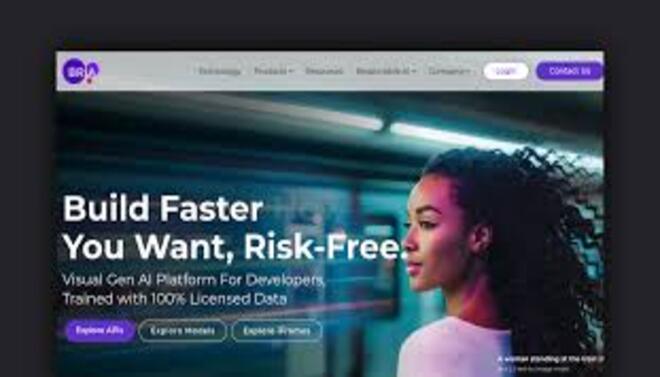
Bria.ai is a pioneering Responsible Generative AI platform specifically designed for commercial use.
Unlike many AI image generators that train on scraped web data, Bria’s models are trained exclusively on 100% licensed datasets (via partnerships with Getty Images, Alamy, and others), ensuring that every generated asset is copyright-cleared and commercially safe. Bria offers a suite of “Visual Intelligence” tools including high-fidelity image generation, background removal, object editing, and outpainting.
Its core mission is to empower brands and developers with ethical AI tools that provide a sustainable compensation model for the original content creators while offering enterprise-grade legal indemnity.
Commercially Safe
API-First Design
Ethical Attribution
High-Speed Editing
Enterprise Grade
Review
Bria.ai is known for its uncompromising stance on ethics and commercial safety. Its primary strength is the legal peace of mind it provides to enterprise clients, as all generated content is backed by a fully licensed training pipeline. While it may not offer the raw “stylistic chaos” of Midjourney, its output is highly polished, professional, and optimized for advertising and marketing.
The platform’s API-first approach makes it an essential tool for developers building creative applications that require high-scale, responsible image editing and generation without the risk of copyright infringement.
Features
Ethical Text-to-Image
Generates high-resolution, professional-grade images from text prompts using a fully licensed model.
Generative Outpainting
Expands the boundaries of an existing image, seamlessly filling in new backgrounds or surroundings.
Intelligent Background Removal
A class-leading tool that accurately masks complex subjects (like hair or transparent objects) in one click.
AI Object Replacement (Inpainting)
Allows users to "paint out" objects and replace them with AI-generated elements that match the lighting and style.
Face & Eye Retouching
Specialized models for enhancing facial features and correcting "AI eyes" for a more human look.
Product-to-Scene
Automatically places a product photo into a variety of generated, high-end lifestyle environments.
Best Suited for
Ad Agencies
Ideal for creating high-gloss, copyright-safe campaign imagery for global brands.
Product Designers
Perfect for rapid prototyping and generating realistic lifestyle shots of products.
SaaS Developers
Excellent for integrating AI image editing features (like background removal) into their own apps via API.
E-commerce Managers
A strong tool for processing thousands of product photos to ensure a consistent, clean aesthetic.
Social Media Managers
Useful for quickly generating and resizing high-quality visuals that are safe for monetization.
Brand Protection Teams
Great for companies that require a strict "no-copyright-risk" policy for all marketing collateral.
Strengths
Zero copyright risk
Robust API and SDK support makes it the premier choice
Precise non-destructive editing tools
High-fidelity output optimized for realistic lighting.
Weakness
Less “artistic” variety
Web interface is utilitarian; it lacks some of the social/community features found in platforms like Leonardo.ai.
Getting started with: step by step guide
Bria’s workflow is centered around a “Creative API” or a simplified web dashboard for non-technical users.
Step 1: Model Selection
The user chooses between the standard text-to-image generator or a specific editing tool (e.g., Background Remover).
Step 2: Prompting/Upload
The user enters a descriptive prompt or uploads an existing brand asset they wish to modify.
Step 3: Refine with AI
The user utilizes tools like Inpainting to remove unwanted logos or Outpainting to change the aspect ratio for different social platforms.
Step 4: Consistency Check
The AI ensures that the new elements match the original photo’s color temperature, shadows, and resolution.
Step 5: Licensing Check
Bria confirms the asset’s “Ethical Score” and ensures it is ready for commercial distribution.
Step 6: Export/Deploy
The final high-res asset is exported or called via API to be instantly displayed in a marketing campaign or app interface.
Frequently Asked Questions
Q: Is Bria.ai actually safe for my company's ads?
A: Yes. This is Bria’s core selling point. Every image is copyright-cleared and they offer legal indemnity to enterprise customers.
Q: Can I use it to make "deepfakes" of celebrities?
A: No. Bria’s safety filters are extremely strict and their training data is curated to prevent the generation of unauthorized likenesses.
Q: Does it have an API?
A: Yes, Bria is API-first. It is designed to be integrated into other software products for automated image processing.
Q: How does Bria compensate artists?
A: Bria has a revenue-sharing model with its data partners (like Getty), ensuring that a portion of the revenue goes back to the creators of the training data.
Q: Can it remove backgrounds from video?
A: While primarily focused on static images, Bria is expanding its “Visual Intelligence” tools into video; check their latest API docs for beta features.
Q: What is "Outpainting"?
A: It’s the ability to “zoom out” of an image. The AI imagines what is outside the current frame and draws it in the same style.
Q: Does it work for non-English prompts?
A: Yes, it supports several major languages, though English provides the most nuanced control currently.
Q: Can I train a model on my own brand's style?
A: Yes, the Enterprise plan allows for “Custom Model Tuning” where the AI learns your specific brand guidelines and aesthetic.
Q: How does it handle text inside images?
A: Like most modern diffusion models, it has a basic understanding of text, but for complex typography, it is best to add text in a design tool after generation.
Q: Is there a limit to how many images I can generate?
A: The Starter and Pro plans have credit limits, while the Enterprise plan offers high-volume or unlimited options.
Pricing
Bria.ai operates on a tiered model with a focus on both individual creators and high-scale enterprise API integration.
Basic
$0/month
Access to basic web tools, non-commercial use, community support.
Standard
$29/month
Full Commercial Rights, High-res downloads, advanced editing tools.
Pro
Custom
Deep API integration, White-labeling, Legal indemnity, Custom model training.
Alternatives
Adobe Firefly
The closest competitor; also focuses on "Responsible AI" and is deeply integrated into the Creative Cloud.
Canva Magic Studio
A user-friendly suite of AI tools for general design, though with less focus on the developer-level API.
DALL-E 3 (OpenAI)
Highly conversational and easy to use, but with more ambiguous copyright standings for enterprise use.
Share it on social media:

Bria.ai
Sale Ends In: