
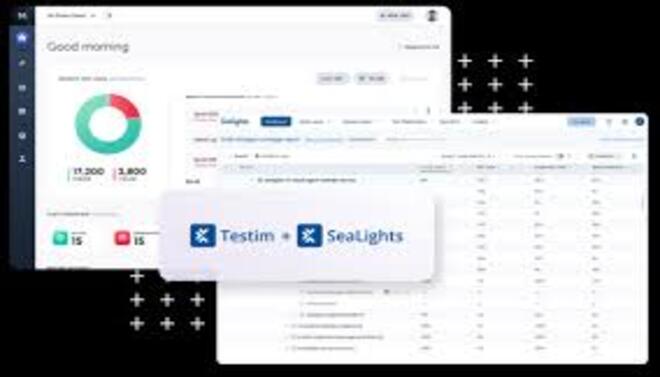
Testim is a leading AI-driven UI test automation platform designed to simplify the creation and maintenance of functional web and mobile tests
Introduction
Testim is a leading AI-driven UI test automation platform designed to simplify the creation and maintenance of functional web and mobile tests.
Acquired by Tricentis in 2022, Testim utilizes machine learning to solve the most common problem in QA: “brittle” tests. Its core technology, Smart Locators, analyzes hundreds of attributes for every web element, ensuring that tests don’t break when a developer makes minor UI changes like changing a CSS class or moving a button.
Its mission is to enable agile teams to keep pace with rapid release cycles by providing a low-code environment where anyone can author stable, reliable tests that “self-heal” automatically.
AI Smart Locators
Self-Healing
Low-Code Authoring
TestOps Management
Root Cause Analysis
Review
Testim earns an excellent expert grade for its industry-leading stability and maintenance automation. Its primary strength is the AI-powered Smart Locators, which significantly reduce the time spent “fixing” tests that break due to UI updates a major pain point in traditional Selenium-based workflows. The platform perfectly bridges the gap between low-code ease of use and the flexibility of custom JavaScript for complex scenarios.
While the Professional tier pricing is a significant investment geared toward enterprise-level teams and the “black box” nature of AI healing can sometimes make debugging complex logic difficult, its ability to scale test suites without scaling the QA headcount makes it a top-tier solution for modern DevOps environments.
Features
AI-Powered Authoring
Users "record" a test by simply using their application; Testim’s AI learns the elements in the background.
Smart Locators
If an element’s ID changes, the AI uses other attributes (text, position, parents, etc.) to find it, ensuring the test continues.
Root Cause Analysis
Provides a detailed "failure map," showing screenshots, console logs, and network traffic at the exact moment of failure.
Parallel Execution
Integration with the Tricentis Grid allows running hundreds of tests simultaneously to speed up deployment.
TestOps Tools
Features like Test Status (Draft vs. Active) and Branching ensure that "in-progress" tests don't break the master build.
JavaScript Injection
For complex logic, developers can add custom JavaScript steps into the low-code workflow.
Best Suited for
Agile Development Teams
Ideal for teams that ship code frequently and need a test suite that doesn't break every time the UI is updated.
Manual Testers / QA Analysts
Perfect for those transitioning to automation who prefer a low-code interface over writing Selenium scripts.
Mobile App Developers
A strong tool for testing native mobile applications alongside web-based services.
DevOps Engineers
Excellent for integrating automated UI checks into CI/CD pipelines with high reliability.
Product Managers
Useful for verifying that "Happy Path" user journeys remain intact after a new feature launch.
Enterprises
Great for large organizations that need "TestOps" features to manage thousands of tests across multiple teams.
Strengths
TestOps features provide the structure needed for large organizations to manage thousands of tests without chaos.
Root Cause Analysis saves hours of debugging
Low-code recording allows anyone to build complex tests
AI Self-healing drastically reduces the manual labor
Weakness
Advanced logic still requires JavaScript knowledge, meaning technical support is needed for edge cases.
Black box” AI can occasionally make it hard to understand exactly why a locator was updated or “healed.”
Getting started with: step by step guide
The Testim workflow is designed to move from recording to automation with minimal friction.
Step 1: Install Extension
The user installs the Testim Chrome extension to enable recording.
Step 2: Record Test
The user hits “Record” and interacts with their website. Testim captures every click, scroll, and input.
Step 3: Configure AI Locators
The AI automatically assigns scores to element attributes. The user can “lock” specific locators if needed.
Step 4: Add Validations
The user adds “assertions” (e.g., “Check if ‘Success’ message is visible”) to verify the test outcome.
Step 5: CI/CD Integration
The test is added to a suite and triggered via a CLI or webhook during the build process.
Step 6: Review Failures
If a test fails, the user reviews the Root Cause Analysis dashboard to determine if it’s a real bug or a UI change that needs healing.
Frequently Asked Questions
Q: Do I need to know how to code to use Testim?
A: No. Most functional tests can be built using the low-code recorder. However, knowing JavaScript allows you to extend tests with custom logic.
Q: What is "Self-Healing"?
A: If a button’s underlying code changes (like a new ID or class), Testim’s AI uses other attributes it learned to find the button and updates the test automatically so it doesn’t fail.
Q: Can I test native mobile apps?
A: Yes, the Professional tier supports native iOS and Android application testing using the same AI-powered principles.
Q: How many tests can I run for free?
A: The Community Plan allows for 1,000 test runs per month on the web for free.
Q: Does it work with CI/CD tools like Jenkins or GitLab?
A: Yes, Testim has a CLI and native integrations that allow you to trigger tests as part of your deployment pipeline.
Q: Can Testim handle "Email Testing" or "SMS Testing"?
A: Yes, Testim provides built-in steps to validate that emails or SMS messages were received as part of a user flow (like a password reset).
Q: How accurate is the AI in finding bugs?
A: The AI is excellent at distinguishing between UI changes (non-bugs) and functional failures (real bugs), reducing “noise” in your reports.
Q: Does it support API testing?
A: Yes, you can add API steps within your UI tests to verify data or set up specific test environments.
Q: What browsers does it support?
A: It supports all major browsers including Chrome, Firefox, Safari, and Edge.
Q: Is it secure for enterprise data?
A: Yes, it is SOC 2 Type II compliant and offers Enterprise features like SSO and private grid tunnels for secure testing.
Pricing
Testim offers a generous free entry point for small teams and a customizable “Professional” tier for larger organizations. Pricing is primarily based on the volume of test runs and the complexity of features needed.
Basic
$0/month
Web testing, Record & Playback, AI Smart Locators, Basic Reporting.
Standard
custom
Mobile Web & Native, Root Cause Analysis, TestOps (Branches/Folders), API testing, Parallel Execution.
Pro
custom
Advanced Security, SSO, Cross-browser (Grid), Dedicated Support, SLA.
Alternatives
Playwright / Cypress
Modern developer-focused frameworks that are faster and more reliable than Selenium but lack a low-code UI.
Katalon Platform
A comprehensive tool that offers both low-code and full-code options for web, API, and mobile.
Perfecto
An enterprise-focused mobile and web testing platform with strong cloud-based device access.
Share it on social media:

Testim
Sale Ends In: