
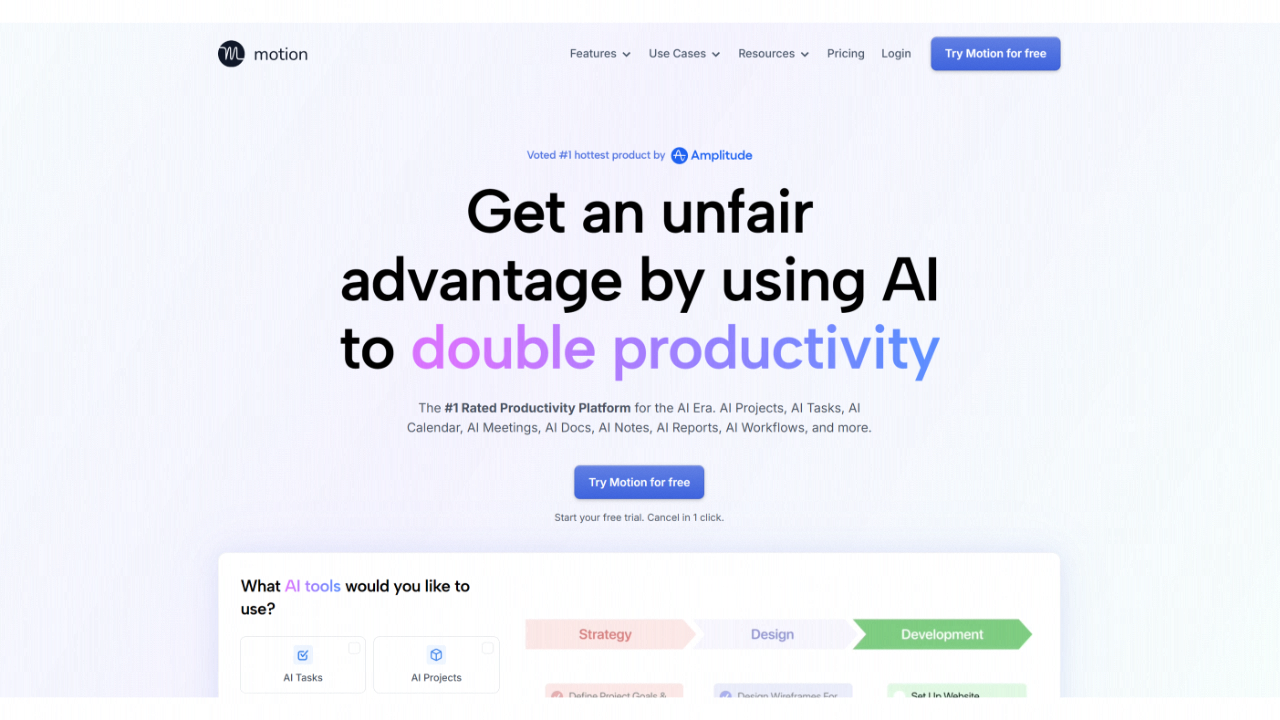
The 2026 refresh of Motion (v6.0) has officially transitioned the platform from a “smart calendar” to a full-scale intelligent operating system for professionals.
Introduction
We have officially entered the era of the “Unmanaged Schedule.” In 2026, the bottleneck for high-performers isn’t a lack of work—it’s the mental load of deciding when to do it. Motion (2026 Refresh) is the definitive answer to scheduling fatigue. By unifying your calendar, tasks, projects, and documents into a single, AI-managed brain, Motion eliminates the “planning hour” from your day. Whether you’re a founder juggling a seed round or a remote lead managing a global team, Motion 6.0 acts as a proactive guardian of your time, blocking out deep work and protecting your boundaries so you can focus on execution, not organization.
Autonomous Time Blocking
Agentic Meeting Recorder
100+ Native Integrations
SOC 2 Type 2 Compliant
Review
The 2026 refresh of Motion (v6.0) has officially transitioned the platform from a “smart calendar” to a full-scale intelligent operating system for professionals. While its core remains the industry-leading AI Auto-Scheduling Engine, the 2026 update introduces deep Agentic AI capabilities, including an integrated Meeting Recorder, AI Docs, and an “AI Executive Assistant” that proactively manages your entire workload across 100+ integrations. Motion now treats tasks not just as items on a list, but as dynamic time blocks that automatically reshuffle based on 1,000+ real-time parameters like deadlines, dependencies, and even your personal energy levels.
The standout feature of this refresh is the AI-Human Handoff, which allows the system to autonomously draft meeting summaries and action items for your one-click approval. Despite multiple price increases over the last year—pushing the monthly Pro plan to $49 for new users in some regions—the platform remains the “gold standard” for knowledge workers managing high-volume schedules. With a reported 97% accuracy in natural-language query generation and the ability to reclaim an average of 2+ hours weekly, Motion 2026 is less of a tool and more of a digital chief of staff.
Features
AI Auto-Scheduling Engine
Automatically places tasks into optimal calendar slots based on priority, duration, and deadlines.
AI Meeting Recorder & Notetaker
Automatically joins calls, transcribes video/audio, and drafts action items that link directly to your projects.
Intelligent Deadline Awareness
Works backward from your final due date to schedule work in manageable chunks, alerting you proactively if a deadline is at risk.
AI Docs & Project Builder
Instantly generates project plans, summaries, and documentation from standard operating procedures (SOPs) or simple prompts.
Team Capacity Planning
Provides managers with a real-time view of team bandwidth, preventing overcommitment and optimizing resource allocation.
Advanced Focus Protection
Proactively blocks out "Deep Work" sessions and prevents low-priority meetings from interrupting your most productive hours.
Best Suited for
Solopreneurs & Founders
Managing complex deliverables and dozens of daily tasks without a human assistant.
High-Volume Agencies
Tracking billable hours and managing overlapping client projects with automated resource allocation.
Remote & Distributed Teams
Coordinating availability across time zones for seamless meeting scheduling.
Professionals with ADHD
Providing external structure and accountability through a fully AI-managed, "opinionated" schedule.
Knowledge Workers
Juggling 50+ weekly tasks who spend too much time manually dragging blocks on a calendar.
Sales Representatives
Using the AI Sales Rep to automate outbound scheduling and coordinate follow-up meetings.
Strengths
Elimination of Decision Fatigue
Seamless Re-Optimization
All-in-One Convergence
Contextual Intelligence
Weakness
Premium Price Tag
The “Surrender” Period
Getting Started with Motion 2026: Step-by-Step Guide
Step 1: Onboard and Configure (5-10 Mins)
Ensure your organization is running the latest version of the Falcon platform with AI Detection and Response (AIDR) enabled.
Step 2: Add Your Floating Tasks
Integrate NVIDIA’s open-source runtime into your agent development stack. This provides the “sandbox” for your autonomous agents.
Step 3: Launch a Project with AI
Use Falcon Next-Gen Identity Security to assign specific, privileged identities to each AI agent, limiting their access boundaries.
Step 4: Enable the AI Notetaker
Connect your AIDR module to OpenShell. This allows the Falcon platform to “read” agent intent and block unsafe prompts or actions in real-time.
Step 5: Review Your "Daily Briefing"
Enroll in Falcon Complete Next-Gen MDR to allow CrowdStrike’s AI agents (powered by Nemotron) to begin autonomously triaging your alerts.
Frequently Asked Questions
Q: Does Motion replace my Google Calendar?
A: No. It syncs with it. You continue to use your calendar as usual, but Motion writes to it to create time blocks for your tasks.
Q: Is there a free plan?
A: No. Motion 2026 does not offer a free tier. However, a 7-day free trial is available for testing.
Q: Can I "pin" a task to a specific time?
A: Yes. If you must do a task at a specific time, you can “pin” it. The AI will then treat it as a fixed meeting and schedule everything else around it.
Pricing
Motion pricing has shifted toward a “Full AI Access” model where all intelligent features are included by default.
| Plan | Monthly Cost (Annual) | Total Yearly | Key Features |
| Pro AI | $12.73/user | $152.76 | Full auto-scheduling engine, AI Docs, and meeting assistant. |
| Business AI | $19.43/user | $233.16 | Everything in Pro + Team Capacity Planning and advanced reporting. |
| Enterprise | Custom | Custom | SOC 2 Type 2 compliance, dedicated success manager, and SSO. |
Alternatives
Reclaim.ai
Better for "Habit-First" scheduling (e.g., ensuring you hit the gym daily) rather than complex project deliverables.
Morgen
A more affordable alternative that offers a "suggest and approve" mode for those who want more manual control.
ClickUp (with AI)
A powerful project management tool, though reaching feature parity with Motion's AI requires expensive add-ons.
Share it on social media:
