
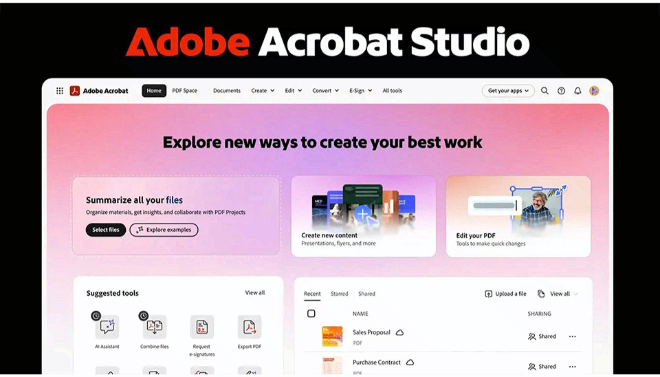

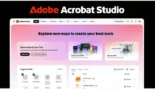


Adobe Acrobat Studio is the next-generation evolution of the PDF workspace, launched in late 2025 to bridge the gap between document management and professional content creation.
Introduction
We are moving from the era of “AI chat” to the era of AI delegation. Genspark Sparkpages represent this shift by transforming how we consume information online. Rather than clicking through ten different websites to piece together a topic, Sparkpages do the “grunt work” for you, assembling a structured, ad-free, and cited report in seconds. Built by a team of ex-Google and Baidu veterans, this feature isn’t just a search results page—it’s a living document that thinks and acts. Whether you’re researching emerging healthcare startups or planning a complex trip, a Sparkpage serves as your custom-built knowledge hub, complete with an embedded AI assistant ready to turn that research into your next presentation or project.
AI Presentation Generator
Personal Podcast Creator
PDF Spaces
Express Premium Integrated
Review
Adobe Acrobat Studio is the next-generation evolution of the PDF workspace, launched in late 2025 and supercharged in January 2026 to bridge the gap between document management and professional content creation. While traditional Acrobat focused on editing and signing, Acrobat Studio introduces a centralized AI ecosystem that combines the full power of Acrobat Pro with Adobe Express Premium and the new “PDF Spaces” collaboration hubs. It is designed for a world where PDFs are no longer static files, but conversational “knowledge hubs” that can be queried, summarized, and transformed into multimedia assets.
The platform’s standout innovation is its multimodal AI capabilities, allowing users to generate full, editable presentations and “podcast-style” audio summaries directly from their documents. By integrating Adobe Firefly for image generation and Adobe Express for design, Acrobat Studio allows a single professional to act as a researcher, writer, and designer simultaneously. While the price point is higher than standard Acrobat Pro, the inclusion of Acrobat AI Assistant and premium creative tools makes it the definitive “all-in-one” solution for enterprises, educators, and creators in 2026.
Features
PDF Spaces
Smart, shareable workspaces where you can group files, links, and notes into conversational knowledge hubs for team collaboration.
Generate Presentation
Automatically transforms dense reports or web links into a professional, fully editable presentation deck powered by Adobe Express.
Generate Podcast
Converts documents and transcripts into engaging, AI-generated audio summaries for hands-free learning on the go.
Personalized AI Assistants
Choose between pre-built roles like "Analyst" or "Instructor," or customize your own agent to suit your specific project goals.
AI-Powered PDF Editing
Use natural language chat to remove pages, add e-signatures, find/replace phrases, and protect documents.
Firefly Image Generation
Create and swap out images in your documents or presentations using integrated Adobe Firefly AI directly within the interface.
Best Suited for
Marketing Professionals
Organizing massive research datasets in PDF Spaces and converting insights into infographics and social posts.
Sales & Account Teams
Creating high-impact pitch decks and utilizing podcast-style audio summaries for meeting prep.
Students & Educators
Turning lecture notes into study guides with precise citations and creating visual presentations from written content.
Finance & Legal Departments
Uncovering actionable insights from 500+ page reports and automating version comparisons with AI citations.
Content Creators
Leveraging AI analysis to manage contracts while using Express tools to polish their media kits and portfolios.
Enterprise IT Admins
Managing AI governance and license deployment across large organizations through the Adobe Admin Console.
Strengths
Seamless Ecosystem Integration
True Multimodal Utility
Enterprise-Grade Security
Outcome Citation-First Accuracy
Weakness
Premium Pricing
Learning Curve
Getting Started with Acrobat Studio: Step-by-Step Guide
Step 1: Create a PDF Space
Launch Acrobat Studio and select “Create PDF Space.” Drag in all relevant reports, links, and transcripts for your current project.
Step 2: Step 2: Initialize Your Assistantthe Sparkpage
Open the AI Assistant panel. Select a persona, like “Analyst” for critical thinking, to start chatting with your collection of documents.
Step 3: Interact Step 3: Generate a Media Summarythe Copilot
Select “Generate Podcast” to create an audio summary of your files, or “Generate Presentation” to turn your research into a draft deck.
Step 4: Refine in Adobe Express
If you generated a presentation, click to edit. The Adobe Express tools will open within Acrobat, allowing you to swap images or change fonts instantly.
Step 5: Share and Collaborate
Invite teammates to your PDF Space. They can leave comments, add their own files, and interact with the same AI knowledge hub to stay aligned.
Frequently Asked Questions
Q: Is Acrobat Studio different from the Acrobat AI Assistant?
A: Yes. The AI Assistant is a feature (add-on) inside Acrobat. Acrobat Studio is a full subscription tier that includes the Assistant plus PDF Spaces, AI Podcasts, AI Presentations, and Adobe Express Premium.
Q: Can I create a podcast in languages other than English?
A: As of early 2026, AI features are supported in English, French, German, Spanish, Italian, Portuguese, and Japanese.
Q: What is the maximum file size for AI analysis?
A: Acrobat Studio can analyze files up to 100MB and up to 600 pages.
Pricing
Acrobat Studio is positioned as the “Best Value” tier for professional users, bundling all of Adobe’s productivity AI.
| Plan | Monthly Cost (Annual) | Yearly Cost | Key Features |
| Acrobat Pro | $19.99 | $239.88 | Basic AI Assistant, full PDF editing, and e-signatures. |
| Acrobat Studio | $24.99 | $299.88 | PDF Spaces, AI Presentations, AI Podcasts, Express Premium. |
| Studio for Teams | $27.74 / user | Custom |
Alternatives
PDF.ai
A lightweight, browser-based alternative for simple chat-with-PDF needs, though it lacks creative generation tools.
ChatPDF
A popular, low-cost tool for students needing quick summaries and Q&A from academic papers.
Microsoft 365 Copilot
Strong integration for teams using Word/Excel, though Acrobat Studio offers superior specialized PDF and design tools.
Share it on social media:
Questions and answers of the customers
There are no questions yet. Be the first to ask a question about this product.
