
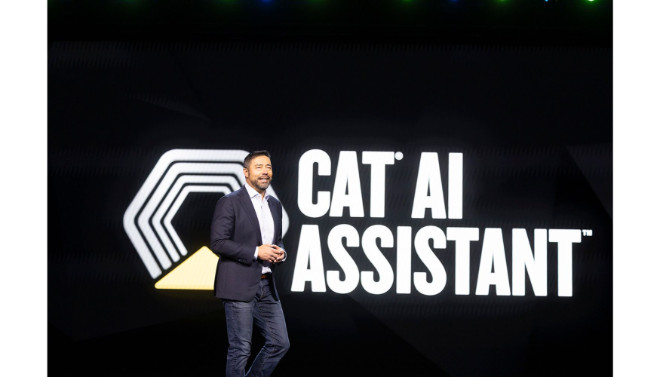
Cat AI Assistant is a browser-based AI extension designed to integrate advanced Large Language Models (LLMs) directly into your daily web navigation.
Introduction
The biggest friction in using AI today is the “context switch”—the act of leaving your work to ask a chatbot a question. Cat AI Assistant was created to eliminate this barrier by bringing the power of the world’s smartest AI models directly to your cursor. It is a lightweight but powerful browser extension that transforms any website into an interactive workspace. Whether you’re struggling to understand a dense research paper, need to quickly translate a foreign news article, or want to generate a reply to a LinkedIn message, Cat AI provides the answers in real-time. By bridging the gap between the web and generative AI, it ensures that you spend less time searching and more time creating, effectively acting as a digital “sidekick” for the modern professional.
Browser-Native
Multi-Model Access
Context-Aware
Instant Summarization
Review
Cat AI Assistant is a specialized browser-based AI extension designed to integrate advanced Large Language Models (LLMs) directly into your daily web navigation. Unlike standalone chat interfaces that require tab-switching, Cat AI lives as a sidebar or overlay, allowing users to interact with AI while staying focused on their active webpage. It is built on a “multi-model” architecture, often giving users the choice between different engines like GPT-4o or Claude 3.5 to suit their specific task needs.
The tool is highly regarded for its Contextual Awareness, enabling it to summarize long articles, explain complex code snippets, or draft email replies based on the content currently visible on the screen. It distinguishes itself from broader competitors by focusing on a “clutter-free” user experience, prioritizing speed and ease of access. While it lacks some of the heavy-duty agentic powers of enterprise-level browsers, its ability to act as a lightweight, ubiquitous writing and research assistant makes it a favorite for students, copywriters, and developers who need instant AI support without the overhead of complex software.
Features
Sidebar Integration
Provides a persistent AI chat window that stays open as you navigate between tabs, maintaining conversation history and context.
Webpage Summarization
Instantly distills long articles, blogs, and reports into bulleted key takeaways with a single click.
Smart Writing Assistant
Drafts, polishes, and fixes grammar for emails, social media posts, and comments directly within the text fields of the website you are visiting.
Code Explanation & Debugging
Specifically optimized for developers, it can read code on GitHub or StackOverflow and provide explanations or suggest improvements.
Instant Translation
Supports real-time translation of selected text or entire pages across 50+ languages using neural machine translation.
Custom Prompt Library
Allows users to save their most-used prompts for repetitive tasks, such as "Summarize this in 3 sentences" or "Translate this to professional Spanish."
Best Suited for
Students & Researchers
Quickly scanning through vast amounts of digital literature and summarizing findings for study notes.
Content Marketers & Social Managers
Drafting captions and replies across various platforms without leaving the browser tab.
Software Developers
Transforming static lessons and diagrams into dynamic, engaging animated history or physics explainers.
Customer Support Representatives
Using the AI to help draft polite and accurate responses based on internal knowledge bases viewed in the browser.
Daily Web Users
Anyone looking to enhance their browsing experience with an assistant that can answer questions about anything they see on their screen.
Multilingual Readers
Users who frequently visit foreign-language websites and need high-quality, contextual translations.
Strengths
Low Friction UX
High Versatility
Lightweight Performance
Contextual Accuracy
Weakness
Browser Dependency
Token Limits on Free Tier
Getting Started with Cat AI Assistant: Step-by-Step Guide
Step 1: Install the Extension
Visit the Chrome Web Store or the official Cat AI website to download the extension. Click “Add to Chrome” to install.
Step 2: Sign In and Pin
Sign in with your email or Google account. Pin the Cat AI icon to your browser toolbar for easy, one-click access.
Step 3: Open the Sidebar
Click the Cat AI icon or use a keyboard shortcut (like Alt+C) to open the sidebar while visiting any website.
Step 4: Interact with the Page
Highlight any text on a page to see the “Quick Action” menu, or ask the sidebar a question like “What are the main arguments of this article?”
Step 5: Customize Your Settings
Navigate to the settings menu to choose your preferred AI model, set your default translation language, and build your custom prompt library.
Frequently Asked Questions
Q: Is Cat AI Assistant free?
A: Yes, it offers a functional free tier that covers basic research and writing needs. Advanced features and unlimited high-tier model access require a Pro subscription.
Q: Does Cat AI read my private data?
A: Cat AI only accesses the content of the active tab when you interact with the extension. Most versions offer a privacy mode where no data is used for training.
Q: Can I use it on mobile?
A: Most features are currently optimized for desktop browsers (Chrome, Edge, Brave), though some mobile browser versions (like Kiwi or Yandex) may support the extension.
Pricing
Cat AI Assistant follows a freemium model designed to be accessible for individuals while offering power features for professionals.
Free
$0.00
Basic model access, standard summarization, and limited daily high-tier queries.
Pro
$10.00 – $15.00/mo
Unlimited queries, access to GPT-4o/Claude 3.5, priority support, and custom prompt saving.
Team
Custom Pricing
Shared prompt libraries, admin dashboard, and enterprise-grade data security.
Alternatives
Monica AI
A very popular and feature-rich browser assistant that offers a similar sidebar experience with a focus on comprehensive productivity tools.
Sider
Known for its robust multi-model support and excellent integration with search engines like Google and Bing.
HuggingChat
An open-source alternative for those who prefer using community-driven models and value high levels of transparency.
Share it on social media:
Questions and answers of the customers
There are no questions yet. Be the first to ask a question about this product.
