
ComfyUI has rapidly ascended as the preferred interface for high-end AI artists and developers who find standard web UIs too restrictive.
Introduction
As generative AI matures, “one-click” generation is no longer enough for professional workflows. Advanced creators require the ability to chain models together, use multiple ControlNets, and precisely manage upscaling. ComfyUI is the powerful, open-source answer to these demands. Built as a modular stable diffusion GUI, it allows you to design your own “image pipelines” via an intuitive drag-and-drop node interface. Originally created by a single developer (comfyanonymous) and now supported by the ComfyOrg foundation, this tool has become the backbone of the AI research community. Whether you are an animator creating consistent video-to-video transitions or a designer needing pixel-perfect control over a composition, ComfyUI provides the industrial-grade infrastructure needed to turn AI prompts into professional assets.
Node-Based
Resource Efficient
Professional Grade
Open Source
Review
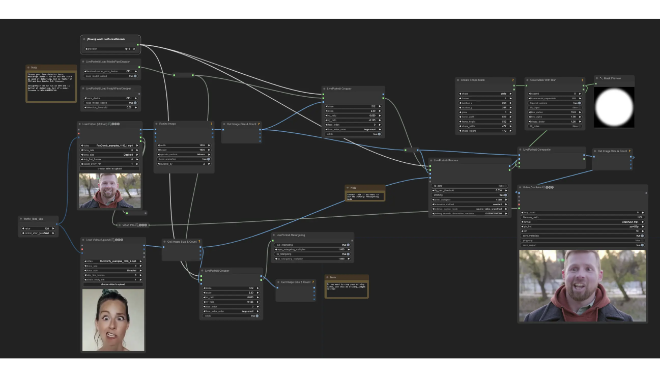
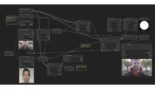
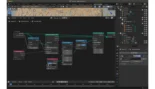
ComfyUI has rapidly ascended as the preferred interface for high-end AI artists and developers who find standard web UIs too restrictive. Unlike linear interfaces, ComfyUI utilizes a graph-based, node-based flowchart system. This design allows users to visualize and customize the exact journey of an image—from noise to final render—by connecting different functional blocks. It is widely celebrated for its efficiency; because it only re-runs the specific parts of a workflow that have changed, it is significantly faster and more memory-efficient than many of its competitors.
While the learning curve is steeper than a simple text-box interface, the reward is total creative control. ComfyUI is highly modular, supporting the latest models like Stable Diffusion 3.5, FLUX.1, and SDXL almost as soon as they are released. For those who want to treat AI art as a technical craft rather than a slot machine, ComfyUI is the gold standard of desktop generative tools.
Features
Graph-Based Workflow
Visualize your entire creative process by connecting nodes (inputs, models, samplers) in an infinitely customizable workspace.
Low VRAM Optimization
Specifically engineered to run large models on consumer hardware by intelligently managing memory and only executing necessary nodes.
Native Model Support
Supports almost every major open-weight model, including Stable Diffusion (1.5, XL, 3.5), FLUX.1, Hunt-A-Video, and AuraFlow.
Workflow Sharing (JSON)
Export and import entire complex workflows as small JSON files, allowing creators to download "recipes" from the community to replicate exact results.
Hires Fix & Advanced Upscaling
Implements complex multi-stage upscaling techniques that preserve detail and prevent the "double head" glitches common in high-res AI art.
API-First Architecture
Can be run in "headless" mode, allowing developers to use ComfyUI as a backend to power their own apps and websites.
Best Suited for
Technical Artists & Designers
Professionals who need to reproduce specific styles and layouts consistently across multiple projects.
AI Researchers
Testing the latest experimental models and techniques (like IP-Adapter or LoRA stacking) in a highly transparent environment.
Animators (AnimateDiff)
Creating temporal consistency in AI videos by utilizing specialized motion modules and complex masking.
Power Users with Older GPUs
Creators who want to run advanced models but are limited by 8GB or 12GB of VRAM.
Developers
Building custom AI pipelines that need to be triggered programmatically via a robust API.
Creative Agencies
Building internal, standardized workflows that team members can share and re-use for brand-specific content.
Strengths
Unmatched Flexibility
Peak Performance
Community-Driven Extensions
Future-Proofing
Weakness
Steep Learning Curve
Setup Complexity
Getting Started with ComfyUI: Step-by-Step Guide
Step 1: Download and Install
Download the portable standalone version from the official GitHub repository for Windows, or use the automated install scripts for Mac and Linux.
Step 2: Load Your Models
Place your Checkpoint models (like SDXL or FLUX) into the ComfyUI/models/checkpoints folder so the interface can detect and use them.
Step 3: Load a Default Workflow
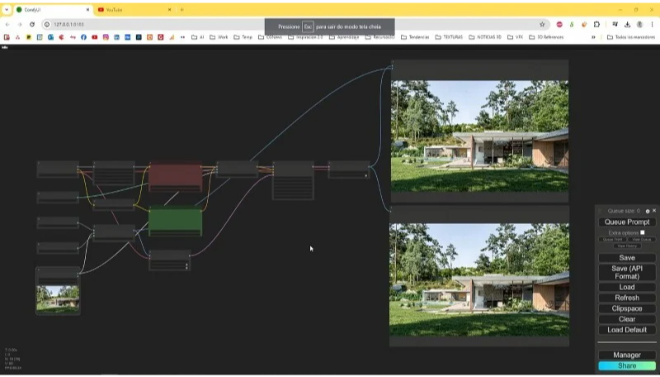
Open the interface in your browser (usually 127.0.0.1:8188). Click “Load Default” to see a basic text-to-image setup with all the essential nodes pre-connected.
Step 4: Queue Your First Prompt
Enter your prompt in the “CLIP Text Encode” node and click “Queue Prompt.” Watch as each node highlights in green while it processes the data.
Step 5: Install ComfyUI-Manager
To truly unlock the power of the tool, install the “ComfyUI-Manager” custom node. This allows you to search for and install new nodes and missing models directly from within the UI.
Frequently Asked Questions
Q: Why should I use ComfyUI instead of Automatic1111?
A: Use ComfyUI if you need faster performance, better memory handling, or the ability to create complex, multi-stage workflows that go beyond simple prompting.
Q: Can ComfyUI run on an 8GB VRAM card?
A: Yes. In fact, ComfyUI is widely considered the best interface for low-VRAM cards because it manages memory more efficiently than almost any other GUI.
Q: How do I save my images?
A: The “Save Image” node automatically saves your output to the ComfyUI/output folder. Interestingly, the metadata for your entire workflow is saved inside the image file itself.
Pricing
ComfyUI is a free, open-source project. Costs are only incurred if you choose to run it on cloud-hosted hardware.
| Setup Type | Cost | Benefits |
| Local Installation | $0.00 | Complete privacy, no usage limits, runs on your own GPU. |
| Colab/Cloud Hosted | ~$10/month+ | Run on high-end GPUs (A100/H100) if your home computer is too slow. |
| Enterprise Support | Custom | Available for businesses needing managed deployments via ComfyOrg. |
Alternatives
Automatic1111 (SD WebUI)
The most popular alternative; it features a traditional web interface that is easier for beginners but less flexible for complex workflows.
Forge
A high-performance version of Automatic1111 that incorporates some of ComfyUI's memory management features while keeping the simple interface.
InvokeAI
A professional-grade tool focused on a clean user experience and "infinite canvas" painting, ideal for concept artists.
Share it on social media:
Questions and answers of the customers
There are no questions yet. Be the first to ask a question about this product.
