
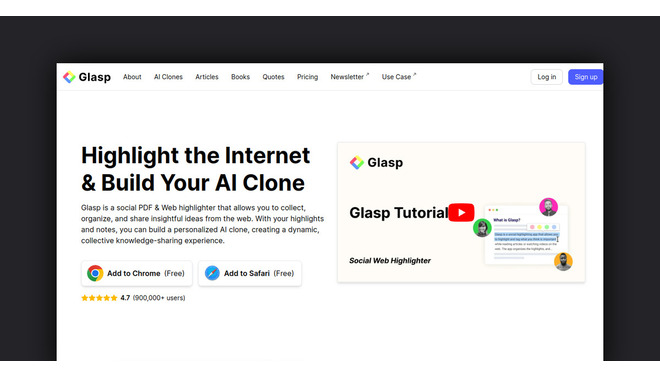
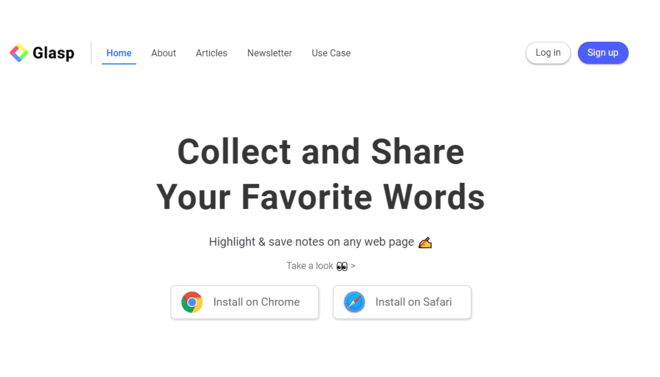

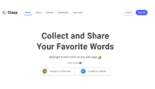
Glasp AI is a unique, cloud-based social web highlighter and knowledge manager designed to streamline research, learning, and content curation.
Introduction
Glasp AI is a unique, cloud-based social web highlighter and knowledge manager designed to streamline research, learning, and content curation.
It operates primarily as a browser extension that allows users to instantly highlight and annotate text on any webpage or PDF.
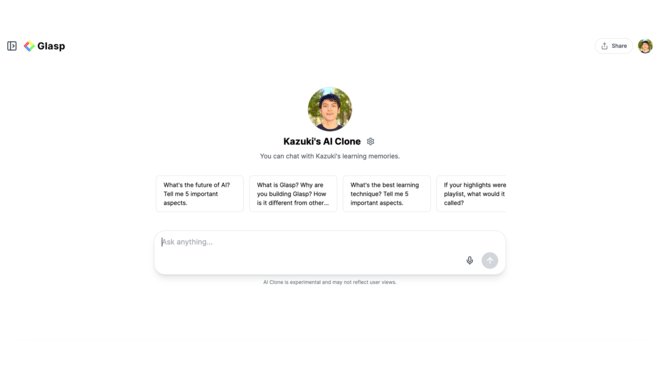
Glasp differentiates itself by transforming these curated insights into an active, searchable AI knowledge base the AI Clone. This personalized model learns from the user’s highlights and notes, providing context-aware summaries, generating new content, and fostering a unique social learning environment where users can share their findings and follow like-minded experts.
Social Highlighter
AI Clone
Web Summarizer
Knowledge Unification
Cross-Platform
Review
Glasp AI is known for pioneering social knowledge management and turning passive reading into active, searchable intelligence. Its primary strength lies in its seamless highlighting workflow and the creation of a personalized AI Clone that can be queried for customized insights based on the user’s past learnings.
The platform is an indispensable tool for researchers and content creators who need to quickly process information from diverse sources (Web, PDF, YouTube). While the advanced AI features are gated by credits and it lacks deep manual editing, Glasp fundamentally solves the problem of information overload by making collected knowledge instantly useful and conversational.
Features
Web & PDF Highlighter
A non-intrusive browser extension that allows users to instantly highlight text on a webpage or PDF and add accompanying annotations.
YouTube Summary & Transcription
Generates full, timestamped transcripts and AI summaries of YouTube videos, enabling users to quickly gauge video value.
AI Clone & Conversational Search
Uses a user's collected highlights and notes to train a personal AI assistant that can be queried for tailored answers and insights.
Multi-Format Input
Supports processing and highlighting content from websites, PDFs, Kindle exports, and audio files (via transcription).
Advanced Integrations
Supports seamless export of highlights and notes in Markdown format, with direct API integration for tools like Notion and Obsidian.
Social Learning Feed
Allows users to follow others, view their public highlights, and discover new, highly curated articles based on shared interests.
Best Suited for
Students & Researchers
Ideal for efficiently reading, summarizing, and organizing academic papers and long articles for essays and literature reviews.
Lifelong Learners
Perfect for curating and recalling key insights from vast amounts of online content.
Content Creators
Excellent for quickly researching topics, gathering quotes, and summarizing video content (YouTube) for new articles or scripts.
Digital Legacy
Great for building a permanent, conversational digital twin of one's accumulated knowledge.
Teams & Collaborators
Useful for sharing reading lists, collaborative note-taking, and discovering insights from colleagues.
Thought Leaders
A strong platform for sharing curated highlights and building a public profile around specialized knowledge.
Strengths
Seamlessly highlights and saves content from Web/PDF/Video directly in the browser.
AI Clone turns passive highlights into an active, conversational knowledge base.
Social feed fosters knowledge sharing, allowing users to discover curated insights.
Accurate transcription and summarization of YouTube videos saves immense time.
Weakness
Mobile apps are often reported as less functional.
PDF highlighting functionality is sometimes inconsistent.
Getting started with: step by step guide
The Glasp workflow integrates reading, highlighting, and AI analysis into a single, continuous process within the browser.
Step 1: Install & Highlight
The user installs the Glasp browser extension (e.g., Chrome). While reading an article or PDF, the user highlights key text, which is automatically saved to their library.
Step 2: Tag & Organize
The user tags the highlights and adds annotations (notes) for better organization and future retrieval.
Step 3: YouTube Summarization
When viewing a YouTube video, the user clicks the Glasp icon to instantly generate a full, timestamped transcript and an AI summary.
Step 4: Converse with AI Clone
The user navigates to their profile and asks their AI Clone questions based on the knowledge they have highlighted (e.g., “What were the main differences in UX design philosophy that I read about last week?”).
Step 5: Export to Notion
The user selects a collection of highlights and uses the integrated Notion API to automatically export the content in structured Markdown format.
Frequently Asked Questions
Q: Is Glasp available as a mobile app?
A: Yes, Glasp offers dedicated mobile apps for both iOS and Android platforms, allowing users to access and sync their highlights on the go.
Q: How does the "AI Clone" work?
A: The AI Clone is a personalized model trained using your history of highlights and notes. You can chat with it, and it generates answers and insights based on the specific knowledge you have collected.
Q: Can I use Glasp to summarize PDF documents?
A: Yes, Glasp supports summarizing and highlighting PDF documents, which is available even in the basic Free plan (with a 5-file limit).
Q: Does the Free plan allow me to see other users' highlights?
A: Yes, the Free plan includes the Social Learning Feed, allowing you to follow others, see their public highlights, and discover new content.
Q: Can I export my highlights to Notion or Obsidian?
A: Yes, Glasp provides excellent integration, including seamless Markdown export and direct Notion API sync for organizing your research.
Q: Are my highlights public by default?
A: Highlights are typically public by default to foster social learning on the free tier. The Pro Plan is required to unlock Unlimited Private Highlights.
Q: What is the main limitation of the Free plan regarding YouTube?
A: The Free plan limits users to only 3 Basic YouTube Summaries per day, after which they must wait or upgrade to the Pro plan for high-volume use.
Q: How much does the Pro plan cost if I pay monthly?
A: The Pro Plan costs $12 per month if billed monthly (which is slightly higher than the discounted annual rate of $10/month).
Q: Can Glasp transcribe audio files or podcasts?
A: Yes, the platform includes an Audio File Transcription & Summaries feature, although the usage limit scales with the paid plans.
Q: What happens if I use the Pro plan and run out of Advanced Summaries?
A: Once you consume your monthly allocation of Advanced Summaries, you will still have access to the basic summarization features but will need to wait for your quota to reset or upgrade to the Unlimited Plan for more volume.
Pricing
Glasp AI operates on a tiered freemium subscription model that scales based on the volume of Advanced AI summaries (which consume credits) and the need for unlimited private highlights and large document uploads. The Free plan is generous for basic usage, focusing on unlimited public highlights and essential summarization.
Basic
$0/month
Unlimited Public Highlights, Basic YouTube Summaries (3/day), Limited PDF uploads (5 files).
Standard
$10/month
Unlimited Private Highlights, Advanced YouTube Summaries, Daily Auto-Sync/Export to Notion, Increased PDF/Audio limits.
Pro
$25/month
Unlimited PDF Uploads/Summaries, Highest Audio Transcription (1,500 mins), Priority Support, Max Channel Tracking.
Alternatives
QuillBot
A versatile AI writing assistant that includes paraphrasing and summarization tools, but lacks social highlighting.
Fathom
A free AI notetaker that specializes in recording, transcribing, and summarizing live meetings (video calls).
SciSpace (formerly Typeset)
A tool specializing in academic papers, offering in-line explanations and complex research features.
Share it on social media:
Questions and answers of the customers
There are no questions yet. Be the first to ask a question about this product.

Glasp AI
Sale Has Ended