
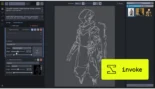
InvokeAI is a professional-grade, open-source creative engine designed for artists, designers, and creative agencies who require a refined and stable environment for generative AI.
Introduction
As generative AI transitions from a hobbyist curiosity into a professional requirement, the demand for tools that offer more than a simple “prompt and pray” interface is surging. InvokeAI is the answer for creators who need a professional creative engine that bridges the gap between raw AI power and industry-standard design workflows. Designed to run on local hardware or in the cloud, InvokeAI provides a robust suite of tools for professional image synthesis, including state-of-the-art upscaling, character consistency, and the legendary Unified Canvas. Whether you are a concept artist for a major studio or a solo designer, InvokeAI offers the control and reliability needed to integrate Stable Diffusion into a high-stakes production environment without the technical friction of experimental interfaces.
Professional Grade
Unified Canvas
Ethical AI Focus
128K Context
Review
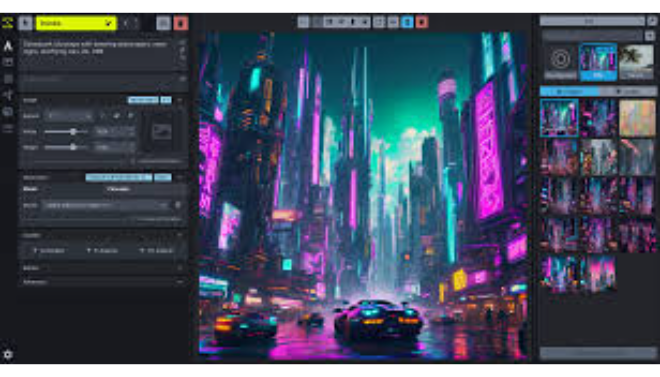
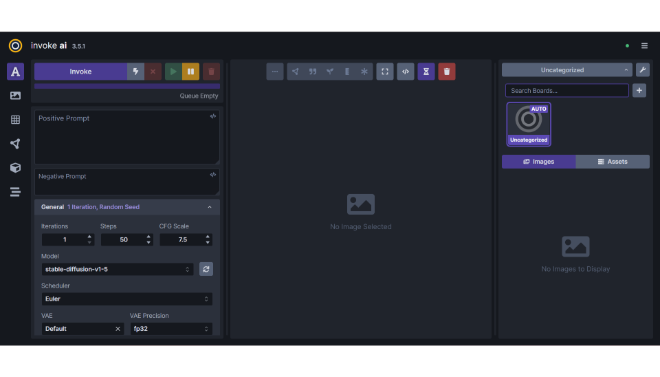
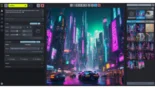
InvokeAI is a professional-grade, open-source creative engine designed for artists, designers, and creative agencies who require a refined and stable environment for generative AI. Unlike the complex “node-spaghetti” of ComfyUI or the cluttered interface of Automatic1111, InvokeAI prioritizes a clean, industry-standard user experience that feels more like Adobe Photoshop than a coding terminal. The platform is famous for its Unified Canvas, an infinite workspace that allows for seamless outpainting, inpainting, and brush-based editing directly on the image.
The tool is built by a Public Benefit Corporation (PBC) with a focus on ethical AI and professional reliability. It provides deep support for ControlNet, LoRA, and IP-Adapter, allowing for precise structural control over generated assets. While it can be self-hosted for free, Invoke also offers a managed Cloud service that brings professional workflows and collaborative “Workspaces” to teams who don’t want to manage their own hardware. For creative professionals who value stability, workflow continuity, and a polished interface, InvokeAI stands out as the most “production-ready” desktop AI tool available.
Features
Unified Canvas
A world-class infinite workspace for inpainting, outpainting, and image manipulation that allows you to expand and edit images visually without leaving the UI.
Workflows & Nodes
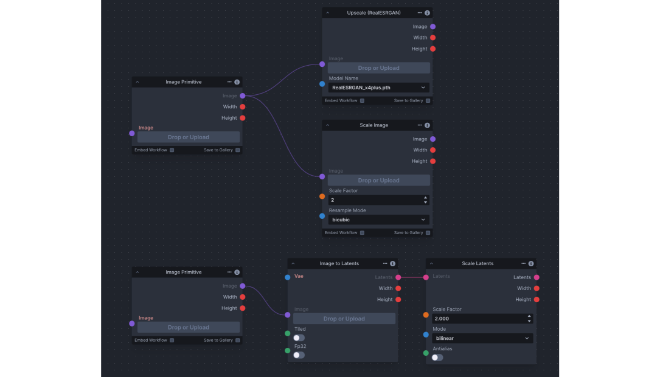
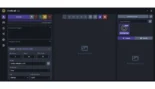
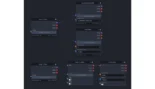
Offers both a streamlined "Linear" UI for quick generations and a powerful "Nodes" editor for building complex, repeatable production pipelines.
Model Manager
A sophisticated internal tool to easily download, organize, and swap between checkpoints (SDXL, SD 1.5), LoRAs, and ControlNets with one click.
ControlNet Integration
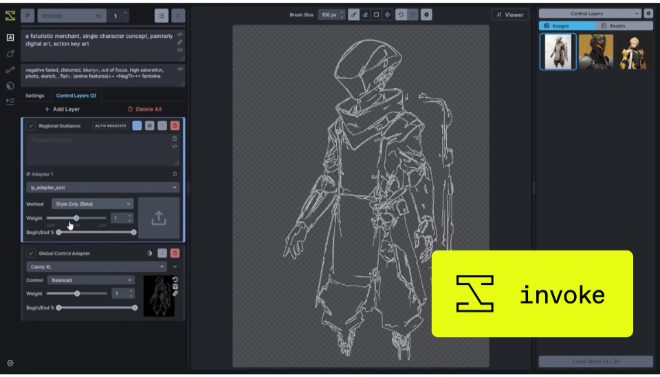
Provides pixel-perfect control over image structure by using depth maps, sketches, or poses to guide the AI’s generation process.
Invoke Training
Built-in support for training your own LoRAs, allowing you to teach the AI specific faces, styles, or brand-specific objects for consistent output.
IP-Adapter Support
Allows users to use an image as a prompt, transferring the style or composition of a reference image to a new generation with remarkable accuracy.
Best Suited for
Professional Concept Artists
Rapidly sketching and expanding environments using the Unified Canvas and infinite outpainting.
Graphic Designers
Creating brand-consistent assets by training custom LoRAs on a company's specific visual style.
Creative Agencies
Utilizing the Cloud Workspaces to collaborate on AI projects and share models across a distributed team.
Architects & Industrial Designers
Using ControlNet to turn rough 3D wireframes or hand sketches into photorealistic renders.
Game Developers
Generating consistent character sheets, textures, and environmental assets using repeatable node-based workflows.
Privacy-Conscious Creators
Running the entire engine locally on their own GPU to ensure that proprietary work never leaves their machine.
Strengths
Industry-Standard UX
The Best Inpainting Experience
Stable and Reliable
Public Benefit Mission
Weakness
Hardware Requirements
Slower to Add Niche Features
Getting Started with InvokeAI: Step-by-Step Guide
Step 1: Install the Launcher
Download the official installer from the InvokeAI website. It provides a simple command-line installer that handles all the technical dependencies for you.
Step 2: Initialize and Download Models
Once installed, use the Model Manager to download your first base models (like SDXL or Stable Diffusion 1.5) directly through the interface.
Step 3: Choose Your Workflow
Select the “Linear View” for straightforward text-to-image prompts or switch to the “Unified Canvas” if you want to start with a sketch or edit an existing image.
Step 4: Refine with ControlNet or LoRAs
Add structural control by enabling a ControlNet (like Canny or Depth) or apply a LoRA to the prompt to inject a specific artistic style.
Step 5: Upscale and Export
Once satisfied, use the built-in ESRGAN upscalers to increase the resolution of your image before exporting it for professional use.
Frequently Asked Questions
Q: Is InvokeAI free?
A: Yes, the Community Edition is 100% free and open-source to download and run on your own hardware.
Q: Does InvokeAI require an NVIDIA card?
A: While NVIDIA cards (with CUDA) provide the best performance, InvokeAI also supports Mac (M1/M2/M3 chips) and some AMD cards via ROCm.
Q: What is the Unified Canvas?
A: It is an infinite digital canvas that lets you perform inpainting, outpainting, and image-to-image tasks in a single interface, making it the most powerful tool for “drawing” with AI.
Pricing
InvokeAI is free to use locally, but offers paid cloud tiers for individuals and teams who need GPU access and collaboration features.
| Plan | Cost (Annual) | Features |
| Community | $0.00 | Self-hosted, local GPU required, all core creative tools included. |
| Indie (Cloud) | $300/year ($35/mo billed monthly) | Cloud GPU access, 3000 monthly credits, priority support, web access. |
| Premier | $900/year ($95/mo billed monthly) | Higher credit limits, advanced model training (LoRA), early access to new features. |
| Enterprise | Custom | Multi-user Workspaces, custom model hosting, SSO, and dedicated support. |
Alternatives
ComfyUI
The choice for users who want absolute modular control via a node-based graph, though it is much more technical to learn.
Adobe Firefly
A mainstream corporate alternative integrated into Photoshop, though it lacks the custom model support and local privacy of InvokeAI.
Leonardo.Ai
A popular web-based platform with excellent creative tools, though it is a closed-source ecosystem compared to Invoke's open-source roots.
Share it on social media:
Questions and answers of the customers
There are no questions yet. Be the first to ask a question about this product.
