




Maverick AI is a specialized generative AI video platform designed for e-commerce brands to boost customer engagement and sales through hyper-personalization.
Introduction
Maverick AI is a specialized generative AI video platform designed for e-commerce brands to boost customer engagement and sales through hyper-personalization. Unlike general-purpose video generators, Maverick focuses on automating personalized video interactions at scale.
The core technology uses AI to clone the presenter’s voice and lip movements, allowing brands to record a single video and automatically generate thousands of unique versions where each customer is greeted by name.
This “deepfake” style personalization is integrated directly into marketing flows (like abandoned cart or post-purchase emails), aiming to replace generic text emails with high-converting, face-to-face video connections.
AI Voice & Lip Sync
E-commerce Integration
Personalization at Scale
Revenue Focus
Automated Flows
Review
Maverick AI is known for its laser focus on e-commerce revenue growth through personalization. Its primary strength is the seamless deepfake technology that personalizes names in videos with impressive realism, solving the scalability problem of 1:1 video outreach.
The platform’s deep integration with e-commerce tools like Shopify and Klaviyo makes it a “plug-and-play” solution for revenue teams. While the pricing is high and geared toward businesses with significant volume, and the personalization is primarily limited to the audio/lip-sync of the name, the ROI it delivers by recovering carts and building brand loyalty makes it a top-tier tool for modern e-commerce marketers.
Features
AI Name Generation
The core engine that takes a base video and generates thousands of variants, each saying a different customer name with realistic lip synchronization.
CRM Integration
Connects deeply with tools like Klaviyo, ActiveCampaign, and HubSpot to trigger video sends automatically based on customer actions (e.g., "Placed Order").
Branded Video Pages
Hosted landing pages for the videos that can be customized with the brand’s logo, colors, and Call-to-Action (CTA) buttons.
Email Embedding
Generates animated GIF thumbnails of the personalized video to embed directly into email campaigns, increasing open rates.
Analytics Dashboard
Tracks engagement metrics such as video views, click-through rates, and attributed revenue to measure ROI.
Script & Recording Support
Maverick provides scripts and guidance to ensure the base video is recorded perfectly for AI manipulation.
Best Suited for
E-commerce Brands
Ideal for online stores (clothing, beauty, lifestyle) looking to increase customer loyalty and repeat purchases.
Digital Marketers
Perfect for improving email click-through rates and engagement on transactional messages.
Founders & Owners
Excellent for adding a personal touch from the CEO to welcome new customers without spending hours recording.
Retention Marketing
Great for "win-back" campaigns to re-engage dormant customers with a personal video.
Customer Success
Useful for sending personalized onboarding or thank-you messages at scale.
Sales Teams
A strong tool for high-volume B2C outreach where individual video recording is impossible.
Strengths
Seamlessly inserts customer names into video audio/visuals.
“Set and forget” automation allows brands to run perpetual personalized campaigns.
Deep e-commerce stack integration (Shopify/Klaviyo) ensures it fits perfectly into existing revenue workflows.
Proven to boost engagement and recovery rates.
Weakness
Setup requires recording specific scripts and getting approval.
Personalization is limited to the name; the rest of the video message remains static for all users.
Getting started with: step by step guide
The Maverick workflow is designed to be a one-time setup that powers continuous automated marketing.
Step 1: Script & Record
The user writes a script (e.g., specific to “Abandoned Cart”) and records a base video, leaving a pause where the name will be inserted.
Step 2: Upload & Train
The video is uploaded to Maverick. The user also records a short “training script” to help the AI learn their voice and lip movements.
Step 3: Connect CRM
The user integrates Maverick with their email platform (e.g., Klaviyo) and maps the “First Name” data field.
Step 4:Generate
Maverick processing prepares the video model.
Step 5: Embed & Launch
The user gets a dynamic code snippet to place in their email template.
Step 6: Automate
As customers trigger the flow (e.g., abandon a cart), Maverick instantly generates a video saying their name and sends it via email.
Frequently Asked Questions
Q: Does the AI really make it look like I'm saying the customer's name?
A: Yes. Maverick uses deepfake technology to adjust your lip movements and synthesize your voice so that it looks and sounds like you recorded a unique video for each person.
Q: What happens if a customer has a rare name?
A: Maverick has a vast database of names. If a name is unpronounceable or not in the database, the system can fallback to a generic version of the video (e.g., saying “Hi there” instead of the name) to ensure a smooth experience.
Q: How long does it take to set up?
A: Setup typically takes 1-2 hours, which includes scripting, recording the base video, recording the training data, and setting up the email flow integration.
Q: Can I change the background of the video?
A: No, Maverick clones the speaker in the existing environment. It does not replace backgrounds like a green screen tool.
Q: Is there a free trial?
A: Maverick typically does not offer a self-serve free trial due to the complexity of the AI voice training. They usually operate via demo booking and managed onboarding.
Q: Can I personalize more than just the name?
A: Currently, Maverick focuses on name personalization. More complex variable insertion (like mentioning specific products by name in the audio) is generally the domain of higher-end enterprise competitors like Tavus.
Q: Does it work with SMS marketing?
A: Yes, the Pro plan supports sending personalised video links via SMS marketing platforms like Postscript or Attentive.
Q: Do I need professional camera equipment?
A: No, a decent smartphone camera or webcam with good lighting is sufficient. The AI works best with clear, well-lit footage.
Q: What is the "Branded Video Page"?
A: When a customer clicks the video in their email, they are taken to a dedicated landing page to watch it. You can customize this page with your logo, colors, and a button to “Return to Cart” or “Shop Now.”
Pricing
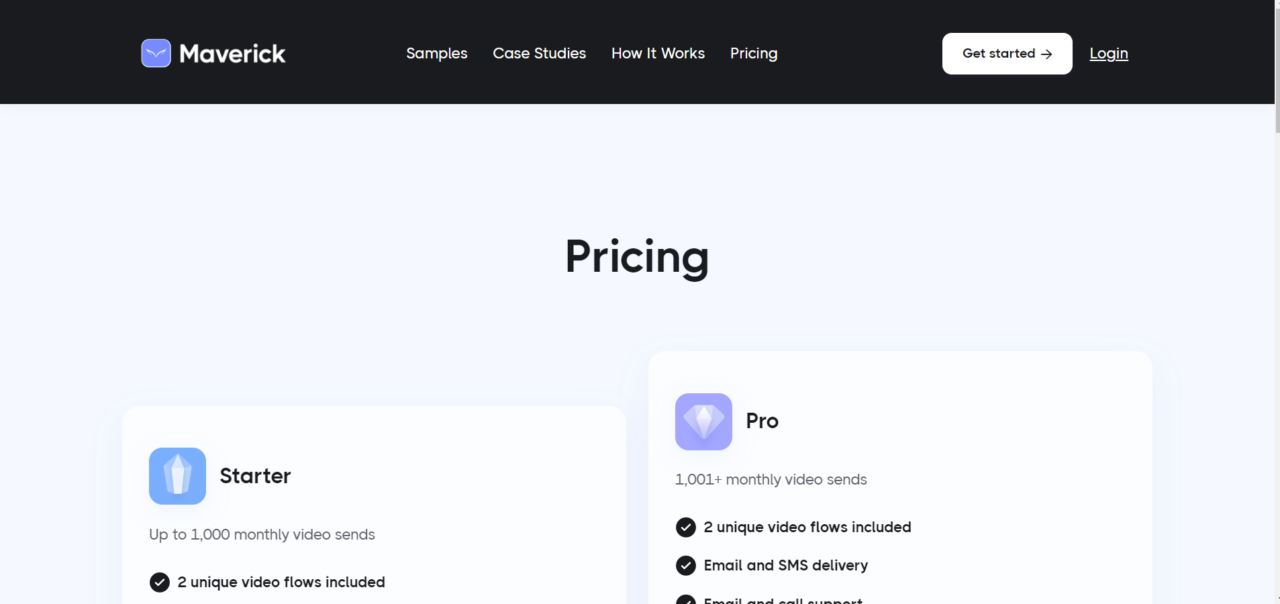
Maverick operates on a subscription model based on the volume of unique video flows and the number of monthly video sends. Pricing is targeted at businesses, with a significant entry cost that reflects the revenue-generating nature of the tool.
Basic
–
–
Standard
$300/month
2 Unique Video Flows, Email Delivery, Standard CRM Support (Klaviyo, etc.), Branded Landing Pages.
Pro
Custom
Custom CRM Integrations, SMS Delivery, Dedicated Support, API Access, Advanced Analytics.
Alternatives
BHuman
A similar AI personalization platform that offers wider use cases beyond e-commerce (e.g., sales outreach, finance) and often has more flexible, lower-tier pricing.
Tavus
A high-end generative video platform focused on product and sales teams, offering deeper cloning capabilities (changing whole sentences, not just names).
Gan.ai
An enterprise-focused video personalization tool that serves large brands for marketing campaigns.
Share it on social media:
Questions and answers of the customers
There are no questions yet. Be the first to ask a question about this product.

Maverick AI
Sale Has Ended