
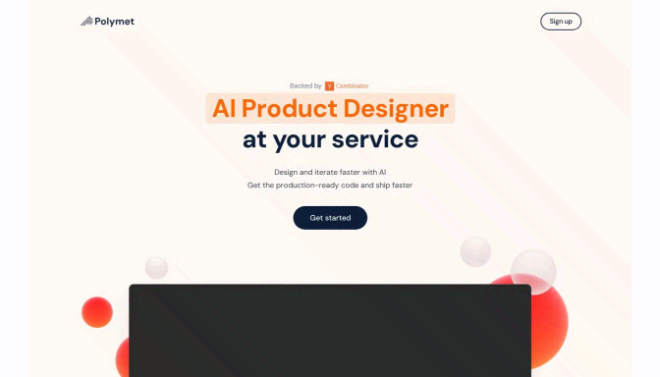


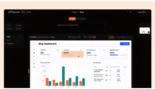
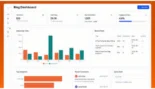
Polymet is a high-performance AI product design tool that bridges the gap between a concept and a functional frontend.
Introduction
The traditional design-to-development cycle is often a bottleneck of feedback loops, manual handoffs, and pixel-pushing. Polymet was engineered to eliminate these hurdles by acting as a “Virtual Product Designer” that understands both aesthetics and code. By allowing users to describe their vision in plain English, Polymet transforms a single prompt into a structured, interactive prototype that developers can actually use. Whether you are a founder building an MVP in a weekend or a product manager needing to visualize a complex dashboard for a client demo, Polymet provides a level of visual agility that was impossible just two years ago. It represents the “Vibe Coding” movement applied to design—where the focus shifts from technical execution to creative intent.
Y Combinator Backed
Design-to-Code Leader
React/Shadcn Ready
14-Day Free Trial
Review
Polymet is a high-performance AI product design tool that bridges the gap between a concept and a functional frontend. Launched as part of the Y Combinator Summer 2024 batch, it is specifically built for product managers, engineers, and non-designers who need to generate professional-grade interfaces without the overhead of learning Figma. Polymet stands out for its agentic design workflow, where users can provide a text prompt or an image, and the AI generates a multi-page interface complete with production-ready React code.
The platform is unique because it doesn’t just produce “pictures of apps”, it creates functional prototypes that respect established design patterns and integrate seamlessly with existing codebases using Shadcn and Tailwind CSS. While it faces stiff competition from tools like Vercel’s v0, Polymet differentiates itself through its Deep Figma Integration and its focus on creating cohesive Design Systems rather than isolated components. With high ratings for ease of use (4.8/5) and performance (4.7/5), Polymet is rapidly becoming a go-to for teams needing to prototype at the speed of thought in 2026.
Features
AI-Driven Design (Text/Image-to-UI)
Generates full interfaces from natural language prompts, hand-drawn sketches, or screenshots of existing sites.
Production-Ready React Code
Automatically delivers clean, modular React code using Shadcn/UI and Tailwind CSS, ready to be dropped into a GitHub repository.
Intelligent Design Systems
Automates the creation of visual tokens (colors, spacing, typography) and smart components that automatically resize and adjust.
Figma Bi-Directional Sync
Import existing components from Figma to Polymet, or use Polymet as a starting point to move designs back into a traditional design environment.
Interactive Prototyping
Builds hover states, animated dropdowns, and responsive tabs automatically, making the output feel like a real app rather than a static image.
Real-Time Collaborative Editing
Allows teams to iterate on designs together, providing preview links for immediate stakeholder feedback.
Best Suited for
Startup Founders
Rapidly building and iterating on MVPs without the budget for a dedicated full-time designer.
Product Managers
Creating high-fidelity prototypes for customer demos or investor pitches instead of writing long, text-heavy specifications.
Frontend Developers
Scaffolding complex UI layouts and components quickly while ensuring they adhere to clean, modern coding standards.
Digital Marketing Agencies
Crafting visually appealing campaign landing pages and microsites at 10x the speed of traditional methods.
Non-Design Engineers
Building internal tools and dashboards that look professional and follow established design patterns.
Product Teams
Maintaining a unified design system that scales seamlessly across multiple features and projects.
Strengths
Incredible Speed
Technical Quality
User-Friendly Interface
Design Consistency
Weakness
Learning Curve for Advanced Editing
Pricing for Individuals
Getting Started with Polymet: Step-by-Step Guide
Step 1: Start with a Vision
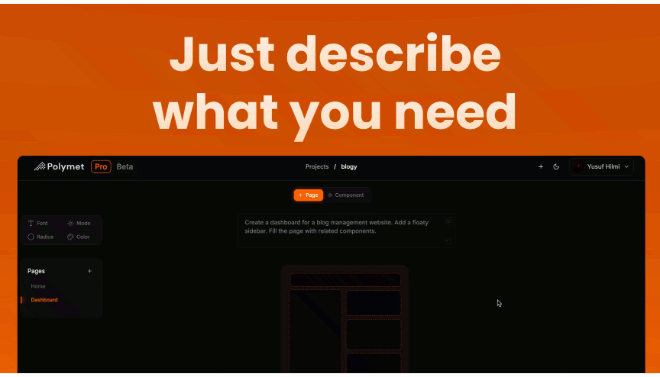
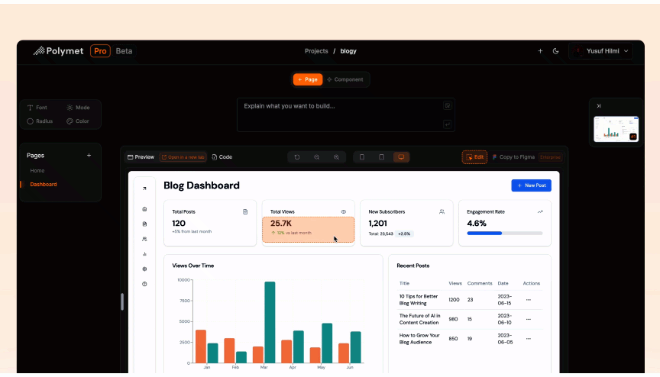
Enter a descriptive prompt in the chat box, such as “Design a sleek SaaS dashboard for YouTube analytics with a glassy aesthetic”.
Step 2: Refine via Prompting
Use the sidebar to ask for changes. You can say things like “Make the sidebar collapsible” or “Add a dark mode toggle”.
Step 3: Connect Your Design Assets
Paste a Figma link to import your existing components or upload a reference screenshot to set the visual style.
Step 4: Preview and Test
Use the real-time preview to click through your prototype. Check the hover states and responsiveness across different screen sizes.
Step 5: Export the Code
Click the “Code” button to retrieve the React and Tailwind snippets. You can then copy-paste these into your local development environment.
Frequently Asked Questions
Q: Can I use Polymet code in a real app?
A: Yes. Polymet generates production-ready React code using Tailwind CSS. It is designed to be integrated directly into your professional codebase.
Q: Does it work with Figma?
A: Yes, Polymet features seamless Figma integration, allowing you to import your existing design components and export your new creations back to Figma.
Q: Who created Polymet?
A: Polymet was founded in 2024 by Yusuf Hilmi (CEO) and Furkan Koseoglu (CTO) and is based in San Francisco.
Pricing
Polymet offers a credit-based model designed for different scales of production.
| Plan | Monthly Cost | Credits / Features | Best For |
| Free Tier | $0.00 | 250 initial credits (50 per page / 25 per component). | Testing the AI’s capabilities. |
| Pro Tier | $50.00 / mo | Unlimited generation, code exports, and high-priority processing. | Solo founders and professional designers. |
| Enterprise | Custom | Unlimited credits, dedicated Slack support, and SSO. | Agencies and large product teams. |
Alternatives
Vercel v0
A strong competitor that generates individual UI components using a conversational interface; highly integrated with the Vercel ecosystem.
Lovable (formerly GPT Engineer)
A "full-stack" AI builder that creates entire deployable applications with built-in backends and Supabase integration.
Bolt.new
A browser-based code editor that focuses on building full-stack apps through a code-first, agentic interface.
Share it on social media:
Questions and answers of the customers
There are no questions yet. Be the first to ask a question about this product.
