
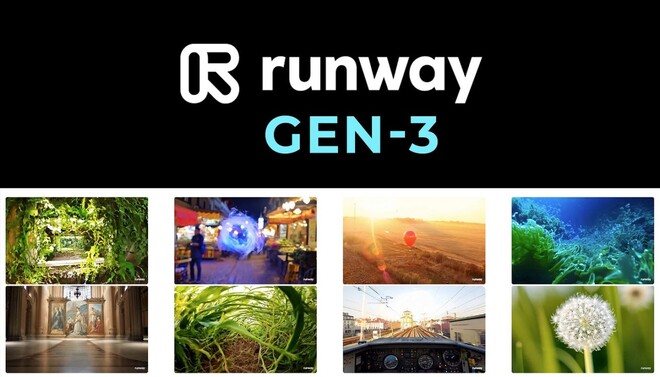


Runway Gen-3 Alpha is a state-of-the-art AI video foundation model that represents a massive leap in photorealism, temporal consistency, and creative control.
Introduction
Runway Gen-3 Alpha is a state-of-the-art AI video foundation model that represents a massive leap in photorealism, temporal consistency, and creative control.
As the successor to the industry-standard Gen-2, Gen-3 Alpha is built on a new infrastructure designed for fine-grained control over motion and physics. It allows creators to generate cinematic-quality clips from text prompts, images, or existing videos.
With its ability to handle complex human anatomy, intricate lighting, and consistent characters across scenes, Gen-3 Alpha is positioned as the flagship tool for professional filmmakers, advertisers, and digital artists looking to integrate generative AI into high-end production pipelines.
Gen-3 Alpha
Motion Brush
Temporal Consistency
Commercial Rights
Superstudio
Review
Runway Gen-3 Alpha earns a near-perfect expert grade for its unmatched visual fidelity and director-level control. Its primary strength is its temporal coherence, which virtually eliminates the “morphing” artifacts common in earlier AI models, ensuring characters and environments remain stable for the duration of a 10-second clip. The platform’s Motion Brush and Advanced Camera Controls provide a level of agency that turns AI generation from a random experiment into a professional instrument.
While the credit-based cost for high-res generations is significant and the model requires descriptive prompting to reach its full potential, it is currently the definitive standard for professional AI video creation.
Features
High-Fidelity Text-to-Video
Generates complex scenes with realistic physics, lighting, and textures from detailed text prompts.
Image-to-Video
Transforms a static image into a moving scene while maintaining the exact composition and style of the source.
Director Mode
A dedicated interface for camera manipulation, providing virtual sliders for horizontal, vertical, and zoom movements.
4K Upscaling
Native ability to enhance generated clips to 4K resolution for professional broadcasting and cinema.
Cinematic Lip Sync
Synchronizes character mouth movements with uploaded audio files for realistic dialogue scenes.
Multi-Motion Brush
Allows for the independent animation of up to 5 different areas in a single image.
Best Suited for
Filmmakers & VFX Artists
Ideal for creating cinematic B-roll, visual effects plates, and pre-visualization storyboards.
Advertising Agencies
Perfect for producing high-end visual concepts and polished commercials at a fraction of traditional costs.
Content Creators
Excellent for generating high-retention social media content that looks professionally shot.
Social Media Marketers
Great for producing localized and eye-catching video variations for global ad campaigns.
3D Artists
Useful for generating reference textures, environmental backgrounds, and realistic lighting studies.
Creative Directors
A strong tool for rapid prototyping and "mood-setting" for large-scale production pitches.
Strengths
Industry-leading photorealism with a deep understanding of human anatomy and environmental physics.
Motion Brush and Camera Sliders offer the highest level of artistic agency in the generative video space.
Superior temporal coherence ensures characters do not “glitch” or change appearance between frames.
Comprehensive browser-based suite eliminates the need for high-end local GPUs or complex software installs
Weakness
Requires “Power Prompting”; the model performs best with specific cinematic jargon and detailed descriptions.
Generation speed for the highest quality Gen-3 model can take 1-2 minutes per clip, which can slow down rapid iteration.
Getting started with: step by step guide
The Runway workflow is built to transform a static idea into a dynamic, cinematic masterpiece through iterative control.
Step 1: Select Model
Navigate to the “Gen-3 Alpha” tool from the main dashboard to access the highest fidelity engine.
Step 2: Compose Prompt
Type a detailed prompt (e.g., “Cinematic drone shot, tracking a black sports car on a rainy mountain road at night, neon reflections”).
Step 3: Direct Motion
Use Director Mode to set a “Slow Zoom” and Motion Brush to ensure the rain and taillight reflections move realistically.
Step 4: Generate & Preview
Click “Generate” and wait for the cloud render. Review the 5 or 10-second result for consistency.
Step 5: Extend & Upscale
Use the “Extend Video” feature to add more time to the clip or “Upscale” to bring the resolution to 4K for final delivery.
Frequently Asked Questions
Q: Is Gen-3 Alpha available to free users?
A: No. Gen-3 Alpha is currently exclusive to paid subscribers (Standard, Pro, and Unlimited plans).
Q: Can I generate a full-length movie in one go?
A: No. Each generation is limited to 5 or 10 seconds, but you can “Extend” clips indefinitely to build a longer narrative.
Q: Do I need a powerful computer to run Runway?
A: No. All rendering is done on Runway’s cloud servers. You only need a modern web browser and a stable internet connection.
Q: What is the "Motion Brush"?
A: It is a tool that lets you paint on a static image to tell the AI exactly which parts should move (e.g., making just the water move in a landscape).
Q: Does Runway support Sound Effects?
A: Yes. Runway has an AI Audio tool that can generate background sound and foley based on the visual content of your video.
Q: Can I use the videos commercially?
A: Yes, provided you have a paid subscription. Content generated on the free tier (Gen-2) is for personal use only.
Q: How many credits does one video cost?
A: A 10-second Gen-3 Alpha video typically costs 100 credits.
Q: Can I control the camera movement?
A: Yes. Director Mode provides specific controls for horizontal, vertical, zoom, and roll movements.
Q: Does it work for non-photorealistic styles?
A: Yes. By adjusting the prompt or style presets, you can generate anime, 3D animation, claymation, and abstract art.
Q: How does Gen-3 compare to Gen-2?
A: Gen-3 Alpha is significantly better at photorealism and physics, with much lower “morphing” and better adherence to complex prompts.
Pricing
Runway operates on a credit-based subscription model. Credits are used for generations, upscales, and advanced AI tasks. Access to the flagship Gen-3 Alpha model is typically restricted to paid tiers to manage high compute demands.
Basic
$12/month
| Gen-3 Alpha Access, No watermarks, 4K upscaling, 5 concurrent tasks.
Standard
$28/month
Priority generation, Custom styles, 500GB storage, early feature access.
Pro
$76/month
Unlimited video generations in relaxed mode, enterprise security.
Alternatives
Luma Dream Machine
A high-end competitor focusing on high realism and fast generation for 5-second clips.
Kling AI
A powerful model known for generating long-duration (up to 2 min) videos with impressive human motion.
OpenAI Sora
The benchmark for 60-second video generation, though currently in limited/closed preview.
Share it on social media:
Questions and answers of the customers
There are no questions yet. Be the first to ask a question about this product.

Runway Gen-3 Alpha
Sale Ends In: