
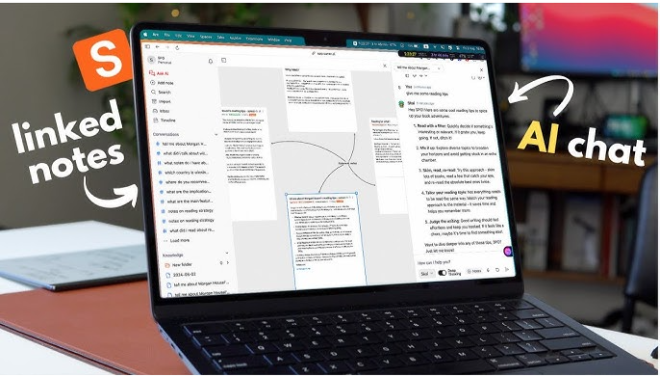
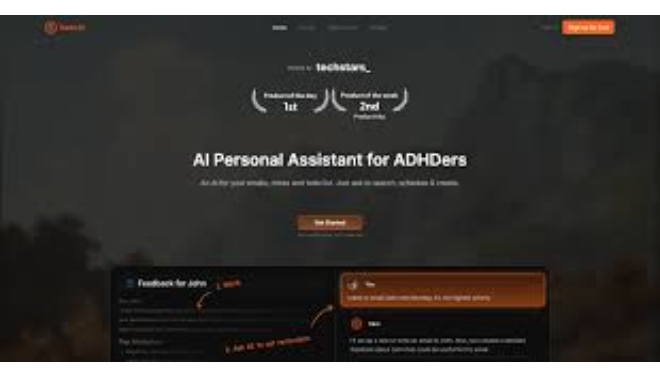

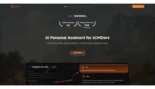
Saner.AI is a high-performance AI productivity and knowledge management tool specifically engineered for neurodiverse professionals.
Introduction
In a world where we use 11+ apps just to get through a workday, the result is often “context-switching chaos.” Saner.AI was built to bring calm to this storm. It is the first AI personal assistant that doesn’t just store your notes—it understands them. By combining a distraction-free note editor with a powerful task assistant, Saner.AI ensures that no idea is forgotten and no deadline is missed. Whether you’re an entrepreneur managing multiple projects or a professional struggling to keep your inbox organized, Saner.AI bridges the gap between thinking and doing. It’s productivity reimagined for the way real minds actually work, offering a “second brain” that proactively helps you follow through on your intentions.
ADHD-Friendly
Natural Language Search
Proactive Planning
Multi-Model AI
Review
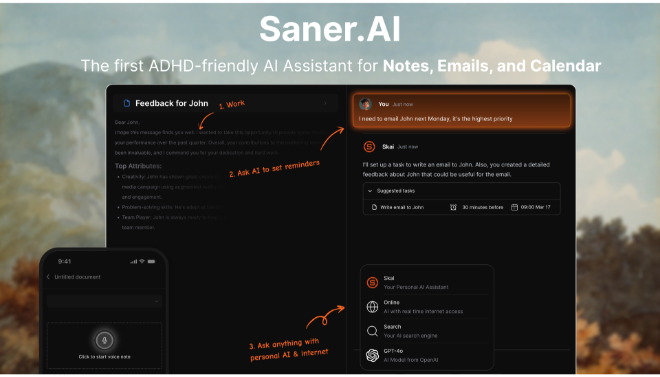
Saner.AI is a high-performance AI productivity and knowledge management tool specifically engineered for neurodiverse professionals, particularly those with ADHD, who struggle with information overload and planning friction. Unlike standard note-taking apps that require manual organization, Saner.AI acts as a “personal assistant” that automatically captures, organizes, and prioritizes information from your notes, emails, and calendar. Its unique ADHD-friendly design minimizes distractions by centralizing everything, tasks, research, and communication, into a single, unified workspace.
The platform stands out for its proactive planning capabilities; every morning, it scans your connected data to propose an optimal day plan, reducing the mental load of starting from scratch. With deep integrations across Google Docs, Slack, and Gmail, Saner.AI allows users to search their entire digital life using natural language queries. While its UI and calendar features are still evolving, its ability to turn messy “brain dumps” into actionable tasks, combined with multi-model AI support (GPT, Claude, Gemini), makes it a powerhouse for knowledge workers looking to reclaim their focus in 2026.
Features
Universal Task Assistant
Automatically detects and extracts follow-ups and tasks from your emails, meeting notes, and brain dumps.
Proactive Daily Planner
Scans your entire digital ecosystem every morning to suggest a prioritized daily schedule based on urgency and workload.
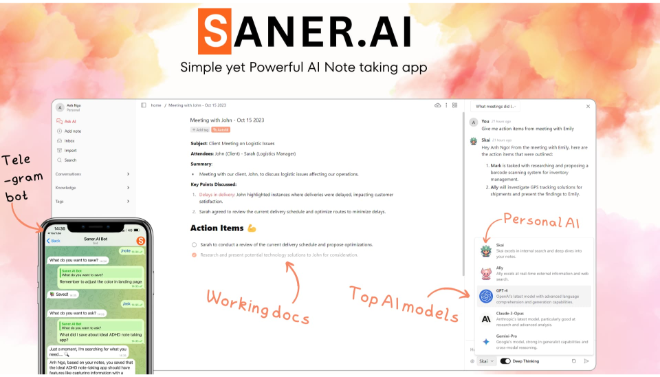
Multi-AI Chat (Skai)
Switch between top-tier models like GPT-4o, Claude 3.5, and Gemini Pro within your workspace to brainstorm or research.
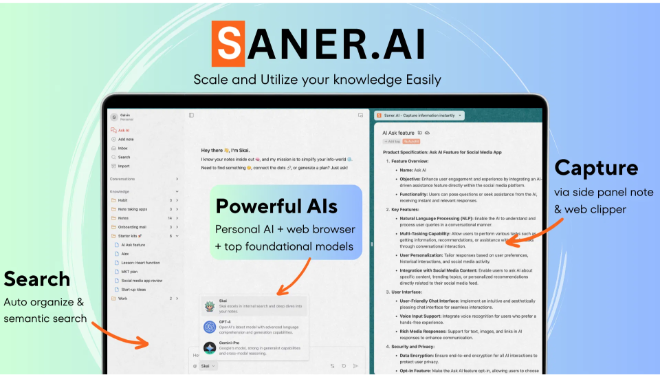
Semantic Search & Citation
Find specific ideas from thousands of notes and documents using natural language queries that understand meaning, not just keywords.
Sync-to-Action
Real-time two-way sync with Google Docs, Gmail, and Slack ensures your information is always up to date across platforms.
Focus Mode (PiP)
A "Picture-in-Picture" mode for tasks and notes allows you to keep your most important goals floating on top of your screen while you work.
Best Suited for
ADHD Professionals
Using a distraction-free design and "smart nudges" to stay on track without the overwhelm of complex setups.
Knowledge Workers & Researchers
Summarizing dense PDFs and tracing interconnections between thousands of research notes using the Knowledge Graph.
Founders & Entrepreneurs
Managing investor notes, product goals, and team updates in one place to turn messy ideas into actionable plans.
Busy Managers
Automatically extracting action items from meetings and prioritizing daily tasks to lead without micromanaging.
Students & Lifelong Learners
Organizing vast resources for assignments and using AI to distill complex topics into digestible takeaways.
Writers & Creatives
Using the integrated AI chat as a "sounding board" for ideas while writing directly in the distraction-free editor.
Strengths
Reduces Context Switching
Low Technical Barrier
Hyper-Personalization
Mobile & Voice Ready
Weakness
UI Design Limitations
Performance on Large Datasets
Getting Started with Saner.AI: Step-by-Step Guide
Step 1: Universal Import
Visit the Honeybot website to book a free demo. This allows you to see the custom features tailored to your specific industry needs.
Step 2: The Morning Review
Select from a variety of AI personalities. Each comes with unique traits and backgrounds to ensure the bot aligns with your brand’s tone.
Step 3: Natural Language Brain Dump
Use the visual builder or scripting tools to map out common customer journeys, from initial inquiry to final sale or demo booking.
Step 4: Chat with Your Knowledge
Connect Honeybot to your existing websites and social media accounts. Ensure your “Unified Messenger” is set up to receive all incoming queries.
Step 5: Turn Notes into Work
Deploy your conversational landing pages. Use the built-in feedback loop and email notifications to monitor performance and tweak scripts in real-time.
Frequently Asked Questions
Q: Is Saner.AI only for people with ADHD?
A: No. While it is built with ADHD-friendly principles (minimizing distraction and mental load), it is ideal for any “overwhelmed” professional who manages a large volume of information.
Q: Can I use different AI models with Saner?
A: Yes. Saner.AI allows you to interact with GPT-4o, Gemini Pro, and Claude 3.5 (and GPT-5 where available) directly within the same chat interface.
Q: Does it work with my existing email?
A: Yes. Saner.AI features an AI email inbox that can sort and prioritize messages from Gmail, Outlook (Early Access), and Slack.
Pricing
Saner.AI follows a freemium model designed for individuals and growing teams.
| Plan | Monthly Cost | Yearly Cost | Key Features |
| Free | $0.00 | $0.00 | Core task capture, calendar sync, basic note search, and AI chat. |
| Pro | $12.00 | ~$144.00 | Unlimited uploads, priority AI access (Claude/GPT-5), Knowledge Graph, advanced security. |
| Enterprise | Custom | Custom | Team collaboration, admin controls, API access, and advanced security auditing. |
Alternatives
Motion
The gold standard for calendar-first scheduling and automatic time-blocking, though less focused on deep note-taking.
Notion AI
Best for teams building custom database workflows, though it requires significantly more manual setup than Saner.
Obsidian
A privacy-focused, local-first note app for power users who want total data ownership, but requires technical plugins for AI.
Share it on social media:
Questions and answers of the customers
There are no questions yet. Be the first to ask a question about this product.
