
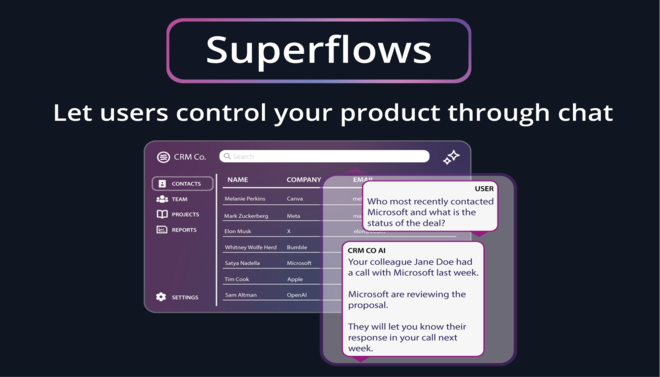


Superflow AI is a specialized productivity and workflow automation platform designed to streamline the high-volume communication tasks of sales, success, and support teams.
Introduction
Superflow AI is a specialized productivity and workflow automation platform designed to streamline the high-volume communication tasks of sales, success, and support teams.
It operates as an intelligent layer over your inbox, using generative AI to analyze incoming emails, draft context-aware replies, and most importantly automatically update CRM records (like HubSpot or Salesforce) based on the conversation’s progress.
Its mission is to eliminate “admin rot” by ensuring that every client interaction is documented and every follow-up is executed without the manual drudgery of copy-pasting data between tabs.
CRM Automator
Context-Aware Drafting
Workflow Intelligence
Inbox Summarizer
Chrome Native
Review
Superflow AI is known for its flawless execution of CRM-email synchronization. Its primary strength is its ability to “listen” to email threads and intelligently suggest CRM updates such as changing deal stages or logging meeting notes which solves the universal problem of poor CRM data hygiene.
The platform acts as a powerful force multiplier for account managers who handle hundreds of daily threads. While it is currently optimized primarily for the Chrome/Gmail ecosystem and requires a robust initial CRM mapping, its ability to turn a messy inbox into a structured database makes it an essential productivity tool for modern revenue teams.
Features
Auto-CRM Logging
The AI detects key information (like a meeting date or a budget mention) and offers to update the corresponding field in your CRM with one click.
Intelligent Email Drafting
Generates complete, nuanced replies that pull information from your CRM (e.g., "I see you're using our Enterprise plan...") to sound more personal.
Follow-up Reminders
Automatically flags emails that haven't received a response and suggests a follow-up draft based on the original context.
Superflows (Workflows)
User-defined automation sequences that trigger based on specific email keywords (e.g., "If the client says 'pricing,' send the standard proposal and update deal stage").
Custom AI Personas
Allows users to train the AI on their specific writing style, jargon, and company-specific "dos and don'ts."
Smart Summaries
When opening a thread with 10+ messages, Superflow provides a concise summary of the current status and the "ball in court."
Best Suited for
Account Managers (AMs)
Ideal for managing ongoing client relationships and ensuring all updates are logged without leaving the inbox.
Customer Success Teams
Perfect for tracking health scores, feature requests, and renewal discussions automatically.
Sales Development Reps (SDRs)
Excellent for rapidly responding to inbound leads while keeping the CRM pipeline up to date.
RevOps Managers
Great for enforcing CRM data hygiene across the entire organization without nagging the sales team.
Agency Owners
Useful for maintaining professional, consistent communication across multiple client accounts.
Recruiters
A strong tool for managing candidate communication and syncing interview notes back to an ATS/CRM.
Strengths
Eliminates manual CRM entry.
Ensures 100% CRM hygiene by prompting users to log updates.
Drafts high-quality, context-aware replies.
Thread summarization allows users to catch up on long conversations in seconds.
Weakness
Initial CRM mapping can be complex.
Requires a Chrome-based environment, meaning it does not currently support mobile or desktop Outlook/Apple Mail apps.
Getting started with: step by step guide
The Superflow workflow is designed to live inside your existing email habit, acting as a “sidekick” that handles the data management.
Step 1: Integrate CRM
The user installs the Chrome extension and connects their HubSpot, Salesforce, or Pipedrive account.
Step 2:Open Email
When the user opens a Gmail thread, Superflow appears as a sidebar or overlay.
Step 3: Review Summary
For long threads, the user reads the AI-generated summary to understand the current state of play.
Step 4: Draft & Sync
The user clicks “Draft Reply.” The AI uses CRM data to write the response. Simultaneously, Superflow suggests CRM updates (e.g., “Set deal to ‘Contract Sent'”).
Step 5: Approve & Send
The user reviews the draft and the CRM update, clicks “Send & Log,” and both the email is sent and the CRM is updated.
Step 6: Task Automation
If a follow-up is needed, the user sets a “Superflow” reminder that will prompt them to reach out if no reply is received within 3 days.
Frequently Asked Questions
Q: What is Midjourney?
A: Midjourney is an AI picture generator that creates beautiful visuals from text prompts. The tool is hosted within Discord, so end users can generate and share AI images easily.
Q: Is Midjourney free to use?
A: The free version of Midjourney can generate a free limited number of images, whereas a paid plan gives access to upgraded features, including faster processing and higher image quality.
Q: How do I get started with Midjourney?
A: You simply join the Discord server for Midjourney, play around a little with text prompts, and then upgrade to a paid option which gets into way more detail.
Pricing
Superflow AI typically operates on a per-user subscription model. It offers a free tier for individual exploration and scaled plans for teams that require deep CRM integration and shared workflow templates.
Basic
free
Basic AI drafting, email summarization, 1 CRM connection.
Standard
$999/month
Full CRM Sync, Automated follow-ups, Custom tone settings, Priority support.
Pro
custom
Role-based permissions, Admin dashboard, Custom security protocols, Dedicated CSM.
Alternatives
HubSpot Sales Hub
Provides native email tracking and basic templates, but lacks the generative "AI agent" that drafts context-aware replies.
Dripify
Focused on LinkedIn automation and CRM sync, contrasting with Superflow's primary focus on email/Gmail.
Glean
An enterprise search tool that pulls data from multiple apps, but doesn't draft emails or manage CRM workflows directly.
Share it on social media:
Questions and answers of the customers
There are no questions yet. Be the first to ask a question about this product.

Superflow AI
Sale Has Ended