
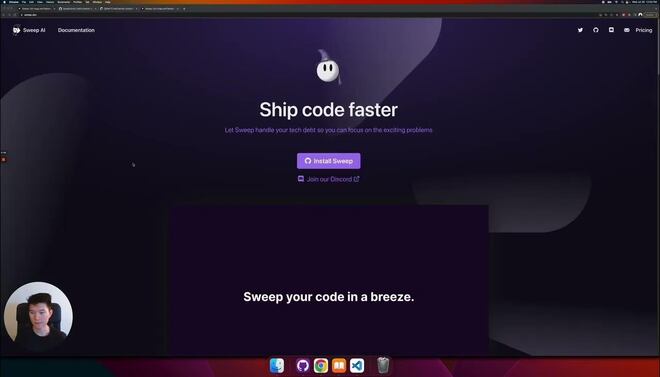
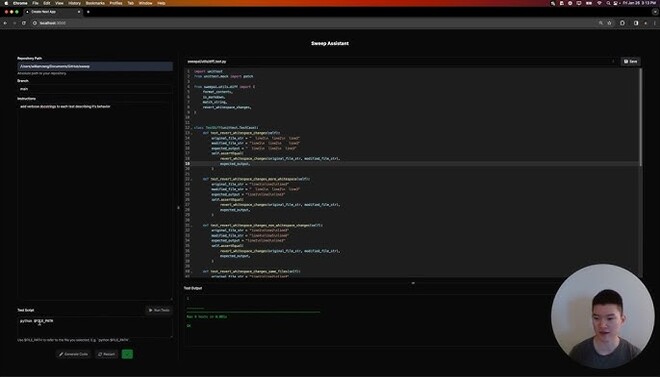
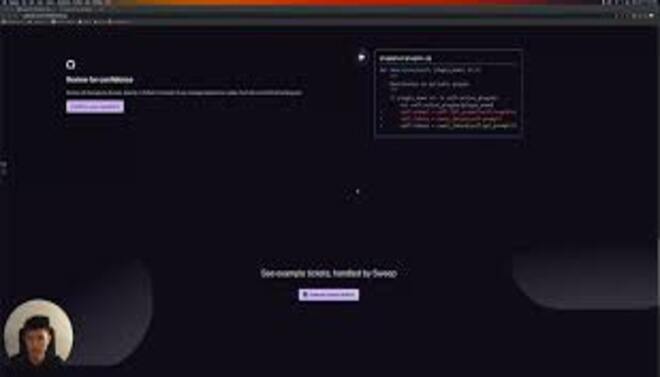




Sweep.dev is an autonomous AI junior developer that lives directly within your GitHub repository.
Introduction
Sweep.dev is an autonomous AI junior developer that lives directly within your GitHub repository.
Unlike IDE-based assistants that help you write code as you type, Sweep acts as a “member of the team” by handling small-to-medium tasks independently. When you create a GitHub issue whether it’s a bug report, a refactoring request, or a small feature add Sweep reads the entire codebase, plans the solution, and automatically opens a Pull Request (PR) with the code changes.
Its mission is to eliminate technical debt and “grunt work” for senior developers by automating the repetitive cycle of identifying, fixing, and submitting small code improvements.
GitHub Native
Autonomous Agent
Codebase Aware
Technical Debt Killer
Review-Ready PRs
Review
Sweep.dev is well known for its unmatched repository-level autonomy. Its primary strength is its deep integration into the existing developer workflow; it doesn’t require you to open a chat it just responds to GitHub issues. This makes it an indispensable tool for code maintenance, especially for tasks like updating dependencies, fixing simple bugs, or writing unit tests.
While the AI can occasionally struggle with deeply complex architectural decisions and requires human review for every PR, its ability to “self-heal” a codebase and handle the manual labor of PR creation makes it a massive force multiplier for high-velocity engineering teams.
Features
Issue-to-PR Automation
The core workflow: you describe a problem in a GitHub issue, and Sweep provides the solution in a Pull Request.
Code Search & Retrieval
Uses advanced vector search to find relevant snippets across your entire repository, ensuring the AI understands the "big picture."
Automated Unit Testing
Can be configured to write and run its own tests to verify the fixes it proposes.
Feedback Loop
If a developer comments on a Sweep PR with a critique, Sweep will read the comment, update the code, and push a new commit.
Linters & Style Guide Adherence
Automatically runs your project's linters (like ESLint or Prettier) on its generated code to ensure it matches your style.
Sweep Chat
Allows developers to "chat" with their codebase to ask questions about how certain modules work or where specific logic is located.
Best Suited for
Solo Founders
Ideal for managing a growing codebase and handling small fixes while focusing on core product logic.
Engineering Managers
Perfect for assigning "low priority" bugs or documentation tasks to an AI rather than a human developer.
DevOps Engineers
Excellent for automating the updating of config files, Dockerfiles, and CI/CD scripts.
Junior Developer Onboarding
Great for providing "perfectly formatted" examples of small PRs for new team members to learn from.
Teams with High Technical Debt
Useful for systematic refactoring and increasing test coverage without slowing down feature development.
Open Source Maintainers
A strong tool for processing and fixing common issues reported by the community.
Strengths
Unbeatable for “boring” tasks like updating API versions
Self-correcting via feedback.
Handles the “whole task”, from file discovery to PR description, rather than just suggesting one-line snippets.
Zero context switching; it works where you already work (GitHub), making it feel like a real team member.
Weakness
Prone to hallucinations in large files
Latency can be high.
Getting started with: step by step guide
The Sweep workflow is designed to be asynchronous, allowing developers to assign tasks and move on to other work.
Step 1: Installation
The user installs the Sweep GitHub App and grants it access to specific repositories.
Step 2: Issue Creation
A developer or product manager creates a new GitHub issue with a clear title and description (e.g., “Fix the button alignment in the mobile header”).
Step 3: Trigger
Sweep detects the issue (often via a keyword or tag like sweep:) and begins “researching” the codebase.
Step 4: Planning & Execution
Sweep creates a plan, searches for relevant files, and writes the code. It then opens a Pull Request.
Step 5: Human Review
The developer reviews the PR. If it looks good, they merge it. If not, they comment on the PR with feedback.
Step 6: Iterate
Sweep reads the feedback, makes the requested changes, and pushes a new commit to the same PR for final approval.
Frequently Asked Questions
Q: Is Sweep safe to use with my proprietary code?
A: Sweep can be configured to run your project’s tests and linters to ensure its PRs don’t break the build.
Q: Does it actually run my code?
A: Sweep can be configured to run your project’s tests and linters to ensure its PRs don’t break the build.
Q: Can it handle complex features?
A: It is best for small-to-medium tasks. For large features, it is recommended to break them down into smaller GitHub issues that Sweep can tackle one by one.
Q: Do I still need to review the code?
A: Absolutely. Sweep is an “AI Junior Developer.” You should treat its PRs with the same scrutiny you would give a human junior developer.
Q: What languages does Sweep support?
A: It supports virtually all major languages (Python, JS/TS, Go, Rust, Java, etc.) as long as the code is in a supported GitHub repository.
Q: Can I use it on GitLab or Bitbucket?
A: Currently, Sweep is primarily focused on the GitHub ecosystem. Support for other version control platforms may be in the roadmap but is not the main feature.
Q: How does it handle large repositories?
A: Sweep uses a combination of vector search and directory-tree analysis to find context even in massive repositories with thousands of files.
Q: What happens if Sweep opens a PR that I don't like?
A: You can simply close the PR, or better yet, leave a comment explaining why. Sweep will attempt to fix the PR based on your feedback.
Q: Does it cost money for open-source projects?
A: Sweep often provides free or discounted tiers for verified open-source maintainers to help with community code maintenance.
Q: How is this different from GitHub Copilot?
A: Copilot is an autocomplete tool that helps you while you type. Sweep is an agent that does the work asynchronously after you’ve left the editor.
Pricing
Sweep operates on a tiered subscription model based on the number of “Sweep Runs” (PRs generated) and the level of codebase indexing required. It offers a free tier for individuals and open-source projects, with professional and enterprise tiers for companies.
Basic
$10/month
Basic codebase search, community support, open-source friendly.
Standard
$20/month
Fast Processing, Priority queue, GPT-4o access, Unlimited private repos.
Pro
$60/month
Self-hosting options, SSO, Custom LLM endpoints, Dedicated success manager.
Alternatives
Bit.dev
While primarily a component manager, it offers AI-driven tools for managing and updating code components at scale.
Cursor AI
A full IDE that provides deep codebase awareness, but requires the developer to be active at the keyboard.
GitHub Copilot Workspace
GitHub's native "issue-to-code" tool that offers a similar autonomous workflow within the GitHub environment.
Share it on social media:
Questions and answers of the customers
There are no questions yet. Be the first to ask a question about this product.

Sweep.dev
Sale Ends In: