
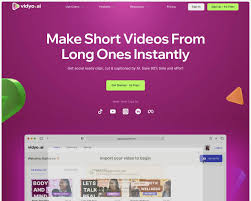




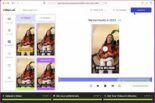


Vidyo.ai (now creating a suite under the name Quso.ai) is an AI-powered content repurposing platform designed to help podcasters, YouTubers, and marketers automatically transform long-form videos into viral-ready short clips.
Introduction
Vidyo.ai (now creating a suite under the name Quso.ai) is an AI-powered content repurposing platform designed to help podcasters, YouTubers, and marketers automatically transform long-form videos into viral-ready short clips.
Its core engine analyzes lengthy video or audio files to identify the most engaging moments, automatically extracting them into vertical clips suitable for TikTok, Instagram Reels, and YouTube Shorts.
Beyond simple clipping, it offers a complete toolkit for social media growth, including auto-captioning, AI virality scores, and social media scheduling, aiming to save creators 90% of the time and effort usually required for video post-production and distribution.
Content Repurposing
AI Virality Score
Auto-Captions
Social Scheduling
Brand Kit
Review
Vidyo.ai is known for its specialized focus on long-to-short video automation. Its primary strength is the intelligent “Intelliclips” technology, which not only finds highlights but also automatically reframes landscape video into vertical formats with active speaker detection.
The platform stands out with its robust CutMagic editor for manual refinement and its recent expansion into social scheduling, making it a true end-to-end growth tool.
While the free plan is limited to 720p with watermarks and the recent rebranding to Quso.ai may cause slight confusion, its ability to generate, edit, and schedule high-quality social clips in one workflow makes it a top-tier choice for content marketing.
Features
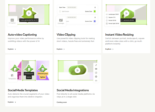
Intelliclips
The core AI engine that scans long videos, selects the most engaging segments (highlights), and turns them into standalone clips.
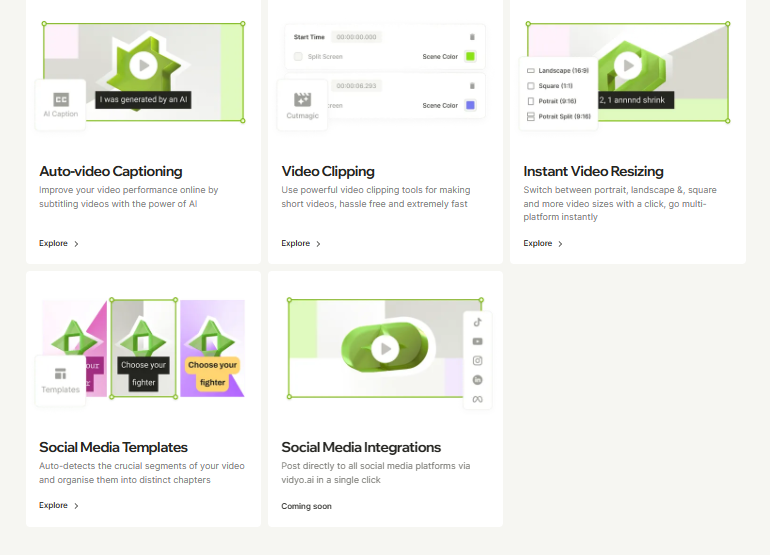
AI Captions & Subtitles
Automatically transcribes audio and adds dynamic, "Alex Hormozi-style" captions that can be customized for font, color, and animation.
CutMagic
A manual override tool that lets users adjust scene cuts and speaker focus, particularly useful for multi-camera podcasts.
Social Media Scheduler
A built-in calendar and publishing tool that allows users to schedule their generated clips directly to platforms like TikTok, Instagram, and LinkedIn.
Auto-Resize
Automatically converts landscape (16:9) videos into portrait (9:16) or square (1:1) formats, keeping the speaker centered.
Virality Score
Assigns a score (0-100) to each generated clip based on AI analysis of trending factors, helping users prioritize what to post.
Best Suited for
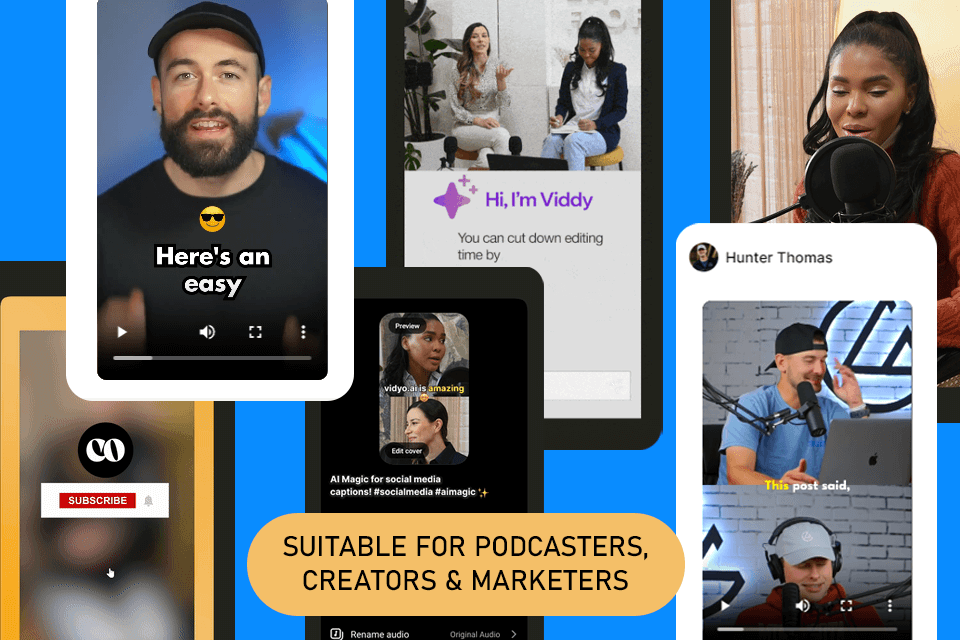
Podcasters
Ideal for turning hour-long episodes into dozens of promotional shorts for social media.
YouTubers
Perfect for breathing new life into older long-form content by repurposing it for Shorts.
Social Media Managers
Excellent for maintaining a consistent content calendar with minimal editing effort.
Marketing Teams
Useful for turning internal town halls or Zoom meetings into shareable snippets for LinkedIn.
Agencies
Great for managing multiple client accounts and delivering high-volume short-form video content efficiently.
Coaches & Course Creators
A strong tool for extracting value bombs from webinars to use as marketing assets.
Strengths
Intelliclips automatically find and reframe the best moments.
All-in-one platform handles everything from generation to editing and final social scheduling.
CutMagic gives granular control over multi-speaker layouts, solving a common issue with auto-framing AIs.
Affordable tiered pricing
Weakness
The tool is optimized for spoken-word content.
Free plan renders are limited to 720p with a watermark.
Getting started with: step by step guide
The Vidyo.ai workflow is designed to be a “set it and forget it” processing pipeline followed by a quick review.
Step 1: Import Video
The user uploads a file from their computer or pastes a YouTube/Vimeo link.
Step 2: Set Preferences
The user selects the desired format (Portrait, Square, Landscape) and templates (e.g., “Podcast style”).
Step 3: AI Processing
Vidyo.ai analyzes the video, transcribing audio and identifying chapters and highlights.
Step 4: Review Clips
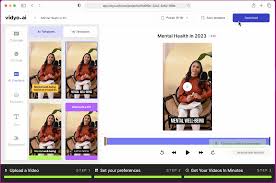
The user is presented with a dashboard of generated clips, each with a Virality Score and title.
Step 5:Edit & Refine
The user selects a clip and enters the editor to adjust captions, change the layout using CutMagic, or add B-roll.
Step 6: Schedule/Export:
The finished clip is downloaded in 1080p or scheduled directly to social platforms via the integrated calendar.
Frequently Asked Questions
Q: Is Vidyo.ai the same as Quso.ai?
A: Yes, Vidyo.ai has rebranded to Quso.ai to reflect its expansion into a broader suite of social media growth tools, though the core video repurposing features remain central.
Q: Does the Free plan have a watermark?
A: Yes, videos exported on the Free plan contain a visible watermark and are limited to 720p resolution.
Q: Can I upload video from a YouTube link?
A: Yes, you can paste a YouTube URL directly into Vidyo.ai to import and process content without downloading it first.
Q: Does it work for videos other than podcasts?
A: It works best for spoken-word content like interviews, webinars, and speeches. It is less effective for vlogs, gaming, or music videos where dialogue is not the main focus.
Q: What is "CutMagic"?
A: CutMagic is a feature that lets you manually adjust the camera focus in multi-speaker videos, allowing you to choose who is on screen at any given moment.
Q: Can I add my own B-roll?
A: Yes, the editor allows you to upload and overlay your own B-roll footage or images on top of the generated clips.
Q: Does it support languages other than English?
A: Yes, Vidyo.ai supports multiple languages for transcription and captioning, including Spanish, French, German, and many others.
Q: How does the "Virality Score" work?
A: The AI analyzes the content’s pacing, keywords, and emotional tone against current social media trends to predict how likely the clip is to engage viewers.
Q: Can I schedule posts directly to TikTok?
A: Yes, the Growth and Essential plans include a social media scheduler that connects to TikTok, Instagram, LinkedIn, and YouTube for direct publishing.
Q: Do my unused minutes roll over?
A: Generally, unused minutes do not roll over to the next month on subscription plans; the quota resets at the start of each billing cycle.
Pricing
Vidyo.ai operates on a freemium, tiered subscription model based on the number of video upload minutes processed per month. Annual billing offers significant savings (up to 40-50% off). The Free plan allows testing, while paid tiers unlock 1080p export, bulk processing, and advanced AI features.
Basic
$15/month
1080p Render, No Watermark, AI Video Generator, Bulk Exports.
Standard
$20/month
AI Content Planner, Magic B-Roll, Brand Kit, Social Scheduling (7 platforms).
Pro
$25/month
Unlimited Scheduling, Bulk Publishing, Advanced Analytics, Priority Support.
Alternatives
Opus Clip
A direct and highly popular competitor known for its high-quality AI curation and "Virality Score," often praised for its simplicity.
Klap
A tool similar to Vidyo that focuses on turning YouTube videos into TikToks/Shorts with fast processing.
Wisecut
Focuses on editing the video flow (removing silences, adding music) rather than just extracting clips from long content.
Share it on social media:
Questions and answers of the customers
There are no questions yet. Be the first to ask a question about this product.

Vidyo.ai
Sale Has Ended