




Voicemod AI is a sophisticated real-time voice synthesis and soundboard application designed to transform digital identity across communication platforms.
Introduction
Voicemod AI is a sophisticated real-time voice synthesis and soundboard application designed to transform digital identity across communication platforms.
Unlike traditional voice changers that rely on simple pitch shifting, Voicemod utilizes advanced Generative AI and Digital Signal Processing (DSP) to replicate specific vocal characters ranging from realistic human personas to fantasy creatures with remarkably low latency.
Its core mission is to empower users to express themselves uniquely in gaming, streaming, and virtual meetings.
By providing a massive library of AI-driven voices and an integrated soundboard, Voicemod acts as a “digital mask” that enhances immersion and entertainment value for millions of users worldwide.
Real-time AI
Low Latency
Creator Ready
Custom VoiceLab
Massive Library
Review
Voicemod AI earns an excellent expert grade for its seamless real-time execution and massive content library. Its primary strength is the low-latency AI processing, which allows for instantaneous voice transformation during live gameplay or calls without distracting lag.
The platform’s VoiceLab feature provides a unique depth for power users to craft proprietary vocal identities. While the Desktop-only focus (for the full feature set) and the limited free version can be restrictive, its robust integration with tools like Discord, OBS, and Stream Deck makes it the definitive standard for real-time vocal expression in the creator economy.
Features
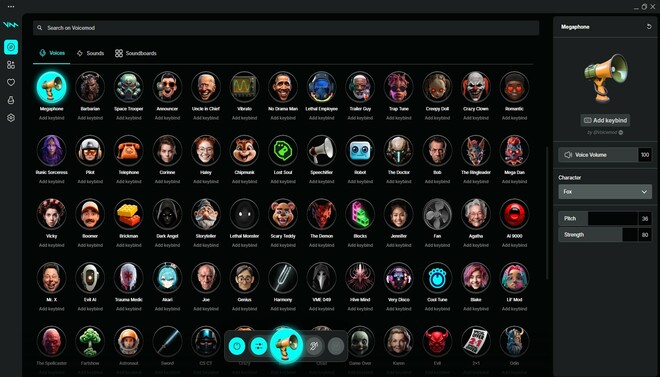
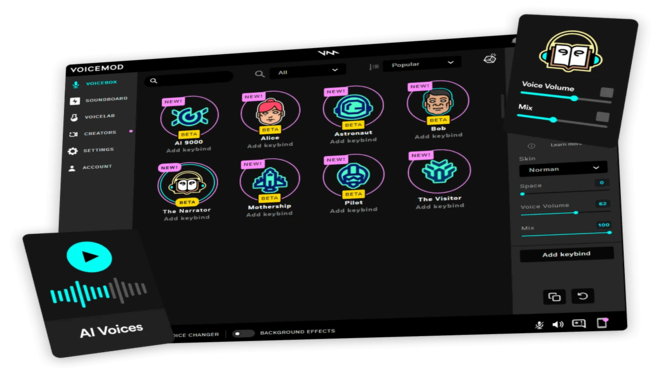
AI Voice Changer
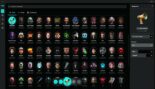
The flagship engine that uses neural networks to convert the user's voice into specific characters (e.g., "The Narrator," "The Pilot," or "Cartoon Girl") in real-time.
Soundboard
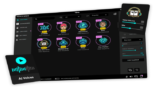
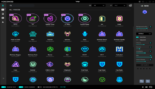
A highly customizable panel where users can upload and trigger sound effects (MP3/WAV) to punctuate moments in live broadcasts or calls.
VoiceLab
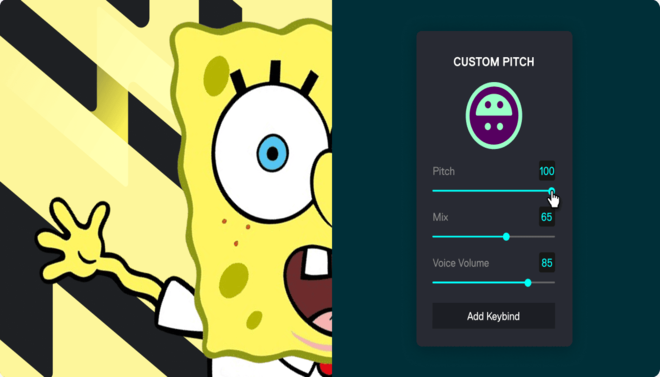
A pro-level creative suite where users can combine various effects (reverb, vocoder, pitch, distortion) to design their own proprietary AI-enhanced voices.
Background Noise Suppression
Integrated AI noise cancellation that cleans up ambient sounds (fans, typing) to ensure the vocal synthesis is clear and high-quality.
Live Stream Integrations
Features dedicated plugins for Elgato Stream Deck, allowing for one-touch voice and sound changes during intense action.
Tuna Integration
Connects to a community-driven sound library where users can browse and download millions of sound clips shared by other creators.
Best Suited for
Streamers (Twitch/YouTube)
Ideal for adding entertainment value, roleplaying characters, and interacting with viewers using unique voices.
Gamers
Perfect for immersive roleplaying in games like GTA V RP, Dungeons & Dragons, or VRChat.
Content Creators
Excellent for producing short-form video content (TikTok/Reels) with distinct character voices.
Privacy Seekers
Great for individuals who wish to mask their natural voice during online interactions for privacy or security.
TTRPG Players
Useful for Dungeon Masters who need to provide diverse, recognizable voices for various NPCs in digital sessions.
Discord Users
A strong tool for socializing and pranking friends with realistic or humorous vocal transformations.
Strengths
Zero-lag real-time transformation
AI models are highly convincing
Acts as a virtual microphone, making it compatible with almost any software
Infinite creative potential through the VoiceLab
Weakness
Requires a PC setup
Setup can be finicky
Getting started with: step by step guide
The Voicemod workflow is designed to sit between your physical microphone and your communication apps, acting as an invisible audio processor.
Step 1: Installation
The user installs the Voicemod Desktop app and grants it permission to install the “Voicemod Virtual Audio Device.”
Step 2: Input/Output Setup
The user selects their physical microphone as the input and their headphones as the output within the Voicemod settings.
Step 3: App Integration
In Discord, OBS, or a game, the user changes the “Input Device” setting from their microphone to “Voicemod Virtual Audio Device.”
Step 4: Voice Selection
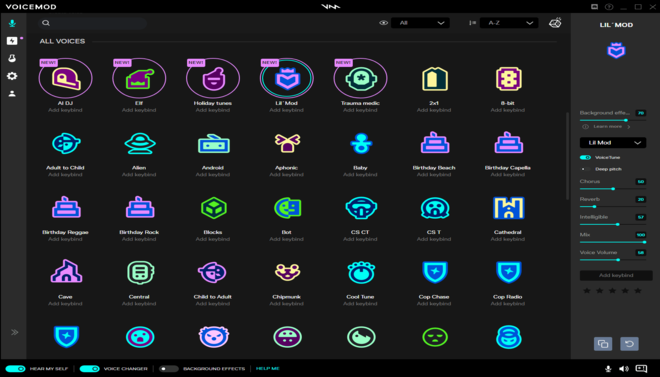
The user selects a voice from the dashboard (e.g., “AI Titan”). They toggle “Hear Myself” to test the output quality and latency.
Step 5: Live Control
While streaming or gaming, the user switches between voices or triggers Soundboard clips via keyboard shortcuts or a Stream Deck.
Frequently Asked Questions
Q: Is Voicemod safe to use?
A: Yes. Voicemod is a legitimate software used by millions. It does not contain malware and is frequently used by professional streamers.
Q: Does it work in real-time without delay?
A: Yes, it is designed for low-latency use. However, AI voices require more processing power, and performance depends on your PC’s hardware.
Q: Can I use Voicemod on my phone?
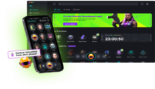
A: Voicemod has mobile apps for iOS and Android, but they are primarily for video content creation and soundboards, not for real-time changing of your call voice like the PC version.
Q: Will Voicemod get me banned in games?
A: Generally, No. Voicemod modifies your audio, not the game’s code. However, always check the specific Terms of Service of competitive games regarding “voice masking.”
Q: Do I need a professional microphone?
A: No, but the better the input quality, the better the AI can synthesize the output. A clear headset mic is usually sufficient.
: How do I stop the "echo" when using it?
A: Ensure that your communication app (like Discord) is set to use the Voicemod Virtual Cable as input, and turn off “Hear Myself” in the Voicemod app if you are hearing a duplicate.
Q: Is there a one-time purchase option?
A: Yes, Voicemod offers a Pro Lifetime license that allows you to pay once and have all current and future Pro features forever.
Q: Can I make my own voices?
A: Yes, the VoiceLab (available in the Pro version) allows you to combine various effects and sliders to create entirely unique vocal identities.
Q: Does it support languages other than English?
A: Yes, the AI models analyze the sound of your voice, so they work with any language, although some character-specific accents are modeled after English speech patterns.
Q: What is "Tuna"?
A: Tuna is Voicemod’s massive, community-powered library where you can find and use clips from movies, memes, and games for your soundboard.
Pricing
Voicemod operates on a freemium model with a tiered structure. The Free version provides a rotating selection of basic voices, while the Voicemod Pro tier (available via subscription or a one-time lifetime license) unlocks the full library of AI voices, the VoiceLab, and unlimited soundboard slots.
Basic
$0/month
Basic voice filters, limited soundboard slots, community sounds access.
Standard
$12/month
All 100+ AI Voices, Custom VoiceLab, Unlimited Soundboard, No Advertisements.
Pro
$45/month
All Pro features for life, priority access to new AI models, cross-device sync.
Alternatives
Adobe Podcast (Enhance)
Focuses on audio cleanup and professional speech enhancement rather than real-time character transformation.
Altered AI
A professional-grade voice-to-voice synthesis tool for studios, offering higher fidelity but without the focus on live, real-time gaming use.
Koe Recast
An AI voice changer that focuses on high-fidelity "style transfer," often used for character work in post-production.
Share it on social media:
Questions and answers of the customers
There are no questions yet. Be the first to ask a question about this product.

Voicemod AI
Sale Ends In: