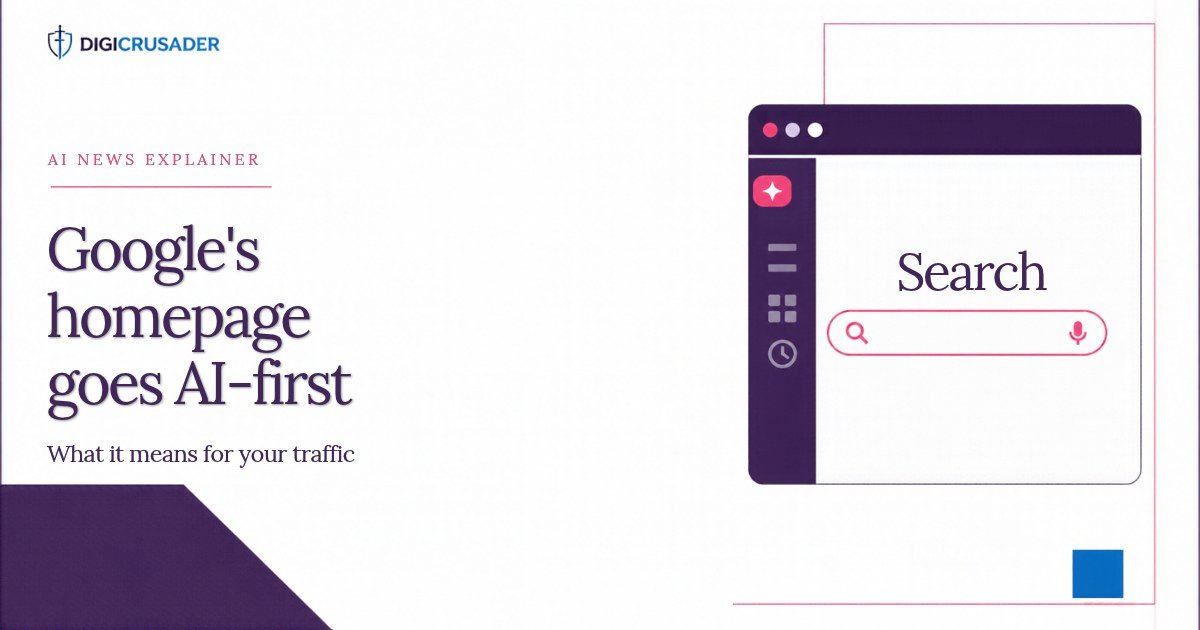
Google is rolling out a new desktop homepage built around AI. A collapsible sidebar keeps your recent AI chats on the left, and Gemini shortcuts for images, files and brainstorming sit where the “Google Search” button used to be. Classic search still works when you press Enter, but the default path now nudges people towards AI answers first. This guide covers exactly what changed, what stayed the same, and what businesses and hotels should do about it.
Key facts at a glance
- Announced: 19 November 2026, by Robby Stein, Google’s VP of Product for Search, in a post on X.
- Where: the google.com homepage on desktop. Reports so far do not mention the mobile site or apps.
- Who: a global rollout, released gradually. It may take days or weeks to reach everyone.
- New: a collapsible left sidebar listing recent AI conversations, with options to start a new thread and search old ones.
- Changed: Gemini-powered shortcuts (image creation, file upload and “Brainstorm”) replace the “Google Search” button, according to 9to5Google, Ars Technica and ShiftDelete.
- Unchanged: the Google logo and search box stay. Pressing Enter or picking an autocomplete suggestion still returns regular results. “I’m Feeling Lucky” remains for now.
- Context: Google said in May 2026 that AI Mode had reached one billion monthly users.
What happened
Stein announced a sidebar that lets people find and jump back into their recent AI searches, and said it would roll out globally on desktop. His point was simple: many searches are not one-off questions, so people need an easy way to pick up where they left off. He added that the sidebar helped people keep exploring in testing.
Digital Trends describes the design in detail. A thin rail sits on the left with a “new thread” icon and a settings gear. Clicking it opens a panel with “New thread”, a search box for past threads, a Notes section with an “Add notebook” option, and a Recent list of past AI Mode conversations. Picking one reopens it in AI Mode with a box to continue the chat.
The bigger visual change is below the search box. 9to5Google and Ars Technica report that Gemini-powered shortcuts replace the “Google Search” button. ShiftDelete lists three: image generation with Nano Banana, file upload and “Brainstorm”. Citing Android Authority, it says these options used to sit inside the “+” attachment menu. Now they are front and centre.
What stays the same
This is not the end of classic search. According to ShiftDelete, pressing Enter or clicking an autocomplete suggestion still takes you to normal Google results. AI Mode opens only if you choose it. The logo and the search box remain, as Analytics Insight notes.
What changes is the signal. A homepage’s buttons tell people what the page is for. When the main buttons are about images, files and brainstorming, the page reads as an AI assistant first and a search engine second.
Gemini chats or AI Mode chats? What the reports disagree on
Coverage differs on one detail, and it is worth being precise. 9to5Google and Analytics Insight describe the sidebar as showing Gemini chats, and 9to5Google says it also pulls in Gemini tasks. Digital Trends and ShiftDelete describe it as a list of AI Mode conversations. Stein’s own post refers to “AI searches”.
The practical answer for businesses is the same either way. Google is joining its search and assistant experiences on its most visited page, and it is making ongoing AI conversations the thing people return to.
Rollout timeline
- October 2026: Search Engine Roundtable spotted Google testing a left-hand AI Mode sidebar, as Digital Trends reports.
- Earlier in 2026: Android Authority reported tests of a homepage redesign, according to ShiftDelete.
- May 2026: Google said AI Mode had reached one billion monthly users and that queries had more than doubled every quarter since launch.
- 19 November 2026: Stein announced the global desktop rollout. 9to5Google said it was not yet live on its own devices that day.
- 21 November 2026: ShiftDelete found the classic layout still showing on signed-out pages it tested in Türkiye.
So if you do not see the new design yet, that is expected. Plan for it anyway. Google’s staged rollouts usually reach most users in the end.
How to check if you have the new homepage
- Open google.com on a desktop browser.
- Look for a thin rail on the left side of the page.
- Check what sits under the search box. If you see shortcuts for images, files and brainstorming instead of “Google Search”, you have the new version.
Why it matters for your business
The google.com homepage is one of the most visited pages on the internet. When its main buttons shift from “search” to “chat”, more journeys start inside an AI conversation rather than on a page of ten blue links. Three shifts follow.
1. Fewer clicks, more citations. AI answers summarise the web. Your brand wins when it is named or linked inside the answer, not just when it ranks. A page in position three that the AI never cites can lose to a page in position eight that it quotes.
2. Longer, returning journeys. A sidebar of saved threads means people come back to the same conversation over days. Research for a software purchase, a supplier shortlist or a holiday can now live in one AI thread. Each time a user returns, the AI may refresh its answer and change the brands it mentions. Being cited once is not enough. You need to be cited consistently.
3. Measurement gets harder. AI Mode visits often blend into general “google” referrals in analytics tools. Expect impressions and clicks in Search Console to drift further apart. Teams that judge SEO only by clicks will think it is failing when visibility may be holding up.
What this means for SEO and content
None of this kills SEO. It changes what good SEO looks like. AI systems pick sources they can understand quickly and trust. That rewards a few habits:
- Answer first. Put a clear, two or three sentence answer at the top of key pages. AI tools often lift the most direct answer they can find.
- Use facts, not fluff. Specific prices, dates, specs and policies are easier to cite than vague claims.
- Structure pages. Use plain headings, short lists and FAQ sections that match how people ask questions.
- Keep facts consistent. If your website, profiles and listings disagree, an AI may cite none of them.
- Let AI crawlers in. If your robots.txt or firewall blocks AI crawlers, your content cannot be used in answers.
What it means for travel and hospitality
Trip planning is exactly the kind of task this design is built for. Travel research is long, messy and spread over days. A traveller can start a thread about “a quiet beach hotel in Goa for a family of four”, come back to it next week and keep refining by budget, dates or amenities. Every return visit is another chance for an AI answer to name, or skip, your property.
That puts pressure on the basics. Hotels need accurate facts everywhere AI looks: the official website, Google Business Profile, OTA listings and reviews. Prices, amenities, policies and location details should match. If the AI cannot verify a detail, it tends to recommend a property it can.
Direct booking is also affected. An AI thread can send a guest straight to a hotel’s own site, or to an OTA. The deciding factor is often which source the AI trusts and links to, not just which rate is cheapest. Hotels that publish clear, crawlable information on their own sites, such as room types, what is included, cancellation rules and nearby attractions, give the AI a reason to link to them directly.
A practical checklist for hotels and travel brands:
- Write a short “at a glance” block on your home page: location, star rating, room count, top amenities and who the property suits.
- Add an FAQ page that answers real guest questions in plain language, such as parking, check-in times, pets and airport transfers.
- Audit your Google Business Profile and top OTA listings for mismatched facts.
- Reply to reviews. AI answers often draw on review themes to describe a property.
Who should pay the most attention
- Publishers and content sites. Informational queries are the easiest for AI to answer in full, so these sites face the biggest risk of lost clicks.
- Local businesses. Restaurants, clinics, shops and hotels depend on accurate facts. AI answers that get your hours or prices wrong can cost real customers.
- B2B and software companies. Buyers research over weeks. Saved AI threads make it more likely that a shortlist forms inside a chat, before anyone visits your site.
- E-commerce brands. Product research and comparisons are natural AI tasks. Clear specs, prices and reviews help an AI recommend you with confidence.
If you run any of these, treat this redesign as a prompt to review how AI tools see you, not as a distant Google experiment.
Our take
Removing the Search button is symbolic, but symbols shape habits. Google is training its users to think of its homepage as a chat window with search attached, not the other way round. This is the same direction Google signalled when it made AI Mode a core part of Search. The homepage is simply catching up.
Businesses that still judge success only by blue-link rankings will see traffic slip and not know why. The winners will be brands that treat AI answers as a channel to earn, measure and improve. That means tracking how AI tools describe you, fixing the facts they get wrong, and publishing content they can quote. Start now, before the redesign reaches every desk.
What to do now
- Run a free AI visibility audit to see how AI assistants describe your brand today.
- Check that AI crawlers can actually reach your site with the AI crawler checker.
- Add short, factual answers and FAQs to your key pages, and keep prices, policies and amenities consistent across every listing.
Want to see which AI tools your team could use to do this faster? Browse 1,000+ AI tools in our directory.
FAQ
Has Google removed the search button from its homepage?
On the redesigned desktop homepage, Gemini shortcuts replace the “Google Search” button, according to 9to5Google, Ars Technica and ShiftDelete. You can still press Enter to get normal search results. The change is rolling out gradually, so many people still see the old layout.
What is the new Google homepage sidebar?
It is a collapsible panel on the left of the desktop homepage that lists your recent AI conversations. You can reopen a past thread, start a new one or search older threads without leaving the homepage.
When will I get the new Google homepage?
Google announced a global desktop rollout on 19 November 2026. It is gradual and may take days or weeks to reach every user. Reports do not yet mention mobile.
Can I still use Google search the old way?
Yes. Type your query and press Enter, or pick an autocomplete suggestion, and you get regular results. AI Mode opens only if you choose it.
Will the Google homepage redesign reduce website traffic?
It is too early for hard data. The redesign pushes more searches towards AI answers, which tend to send fewer clicks than classic results. Being cited inside those answers is now a key way to keep visibility.
How can my business show up in Google’s AI answers?
Publish clear, factual pages with direct answers and FAQs, keep your details consistent across the web, and make sure AI crawlers can access your site. Then check regularly how AI tools describe you and fix any errors at the source.
Want the short version every day? Read the latest AI News Today brief and browse more stories in AI News.