Introduction
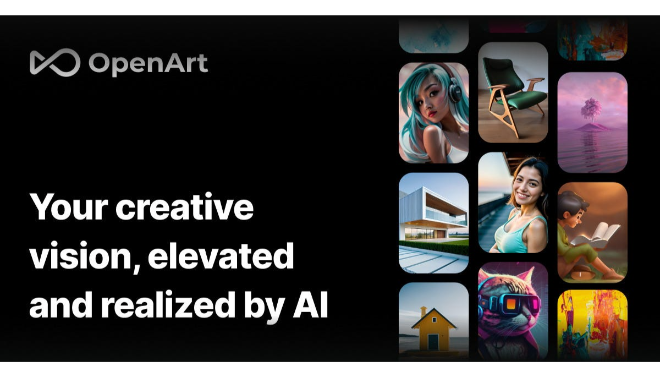
In a world where visual content is paramount, the ability to generate unique and high-quality images quickly is a game-changer. For artists, marketers, and creative professionals, AI tools have unlocked new possibilities, and OpenArt is at the forefront of this revolution. OpenArt is not just another AI art generator; it’s a full-featured creative suite that combines powerful AI models with intuitive editing and customization tools.Founded on the principle of making creativity accessible to everyone, OpenArt provides a platform where users can go from a simple idea to a finished masterpiece in minutes. It goes beyond the basic text-to-image function by offering specialized tools for creating consistent characters, transforming images into videos, and even training AI models based on your unique style. Whether you need a quick visual for a blog post or a complex illustration for a commercial project, OpenArt provides the flexibility and power to meet your needs.AI Art GeneratorCustom Model TrainingVersatileFreemiumReview
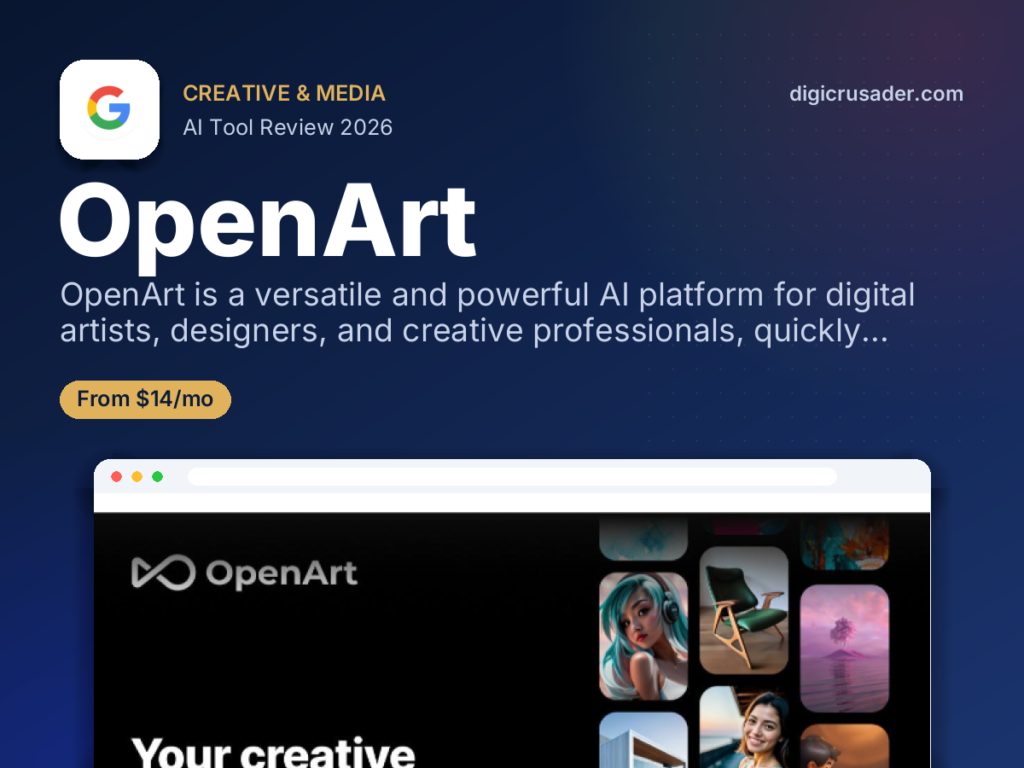
OpenArt is a versatile and powerful AI platform that has quickly established itself as a go-to tool for digital artists, designers, and creative professionals. It stands out in the crowded AI art space by offering much more than a simple text-to-image generator. With a comprehensive suite of tools, including custom model training, advanced editing features, and image-to-video conversion, OpenArt empowers users to take full creative control and bring complex visions to life with remarkable ease.The platform is praised for its intuitive interface, which allows for a boundary-free creation experience. Its ability to generate images from a simple sketch or even no prompt at all caters to a wide range of users, from those with a clear vision to those just looking to experiment. While the tool is credit-based and some advanced features are reserved for higher tiers, its accessible pricing and generous free plan make it a compelling choice for anyone looking to produce high-quality, professional-grade visuals for marketing, art, or personal projects.Features
Custom AI Model Training
A standout feature that allows you to train your own AI model using a few images. This enables you to create art that perfectly matches your brand’s style or maintains character consistency across multiple projects.Comprehensive Image Editing Suite
Go beyond basic generation with advanced editing tools like InPainting (to add or change elements), an ultimate upscaler for high-resolution output, and a remover tool to clean up unwanted objects.Image-to-Video Conversion
Transform static images into dynamic, animated videos with a single click, adding motion effects and bringing your AI-generated art to life.Character Creation & Consistency
Design and generate consistent characters from a single image or description, which is an invaluable feature for illustrators, comic artists, and designers working on a series.Sketch to Image
Convert a rough sketch into a polished piece of art in seconds, making it an excellent tool for artists who prefer to start their creative process with a visual outline.AI QR Code Generator
A unique tool that creates custom, artistic QR codes that are not only scannable but also visually stunning and aligned with your brand's aesthetic.Best Suited for
Graphic Designers
Helps designers rapidly generate concept art, mockups, and variations for client projects.Digital Artists & Illustrators
Provides a suite of tools for sketching, creating consistent characters, and exploring new styles to enhance their workflow.Marketing Professionals
Enables marketers to quickly generate unique visuals, ad creative, and stock photos that are perfectly tailored to their campaigns.Content Creators & Bloggers
Allows content creators to produce high-quality, unique images and visuals to accompany their articles, social media posts, and videos.Small Business Owners
Provides a cost-effective way to create branded visual assets, product mockups, and marketing materials without needing a full-time designer.AI Art Enthusiasts
A powerful platform for hobbyists who want to experiment with the latest AI models and push the boundaries of creative expression.Strengths
Extensive ToolkitIntuitive InterfaceHigh-Quality OutputCharacter ConsistencyWeakness
Credit-Based SystemVideo Functionality in DevelopmentGetting Started with OpenArt: Step by Step Guide
Getting started with OpenArt is a straightforward process that puts powerful AI tools in your hands instantly.Step 1: Sign Up for an Account
Go to the OpenArt website and sign up. You can start with the free plan to receive trial credits and test out the core features.Step 2: Choose a Model or Template
Navigate to the creation dashboard. You can select from hundreds of pre-built AI models and style templates to guide your art generation.Step 3: Enter Your Prompt
Type a detailed text prompt describing the image you want to create. You can also start with an image or a sketch as your base.Step 4: Refine with Editing Tools
Once the images are generated, use the advanced editing suite to perfect them. You can use tools like InPainting to change elements or the Upscaler to increase resolution.Step 5: Download and Share
When you are satisfied with your creation, download the image in your desired format and share it with the world.Frequently Asked Questions
Q: What is OpenArt?
A: OpenArt is a comprehensive AI platform for creating and editing digital art. It uses advanced AI models to generate images from text, images, and sketches, and provides a full suite of tools for professional creative work.Q: Can I train a custom AI model with OpenArt?
A: Yes, a key feature of OpenArt is the ability to train your own custom AI model by uploading a few images. This allows you to generate art in a specific style or create consistent characters.Q: Is there a free version of OpenArt?
A: Yes, OpenArt offers a free plan that provides a one-time set of trial credits. This allows new users to test the platform and its premium features before committing to a paid subscription.Pricing
OpenArt offers a flexible, credit-based pricing model that includes a free plan and multiple paid tiers for varying levels of usage. Free Plan$0Perfect for beginners, it includes a limited number of one-time credits to test premium features. Essential Plan$14/month or $7/month billed annuallyIncludes 4,000 monthly credits, access to premium models, and all essential editing tools. Advanced Plan$29/month or $14.50/month billed annuallyIncludes 12,000 monthly credits, advanced model training, and bulk creation capabilities for high-volume users.Alternatives
Leonardo.AI
A popular alternative that also offers a robust suite of tools for character design, AI model training, and asset generation, with a strong focus on gaming and digital art.Adobe Firefly
A powerful suite of generative AI tools from Adobe, integrated directly into applications like Photoshop. It is known for its high-quality output and commercial use licensing.Midjourney
Known for its high-quality, artistic output and unique aesthetic. Midjourney is a leading AI image generator but primarily operates through a Discord bot, which may be less intuitive for some users.Share it on social media: ReviewsQuestions & Answers There are no questions yet. Be the first to ask a question about this product.There are no questions yet. Be the first to ask a question about this product. BUY NOW
Reviewed by the Digicrusader editorial team. Compare more options in our directory of 1,000+ AI tools.