Google Antigravity is Google’s agent-first development platform: instead of one AI chat helping you code, several agents plan, write, run and test software in parallel across an editor, a terminal and a built-in browser. It launched in November 2025 alongside Gemini 3. At I/O in May 2026, Google relaunched it as Antigravity 2.0 with a desktop app, a CLI and an SDK, and called it the future of its developer tools.
Google Antigravity review
Antigravity flips the usual AI coding set-up. You act more like a manager: you hand agents missions such as “add a booking form and test it in the browser”, and a Mission Control view shows each agent’s plan, current step and output side by side. Every step is saved as an artifact you can review, rerun or throw away.
The built-in browser is the standout. Agents can click through your app, take screenshots, and read console logs and network requests, so they can check their own work on front-end tasks. Antigravity 2.0 added custom sub-agent workflows, scheduled background tasks, voice commands and a fast Go-based CLI. Google also retired consumer access to Gemini CLI in its favour.
It is still maturing. Free-tier rate limits are aggressive at busy times, the credit system is not fully transparent, and pricing has changed several times since launch. It shines on web and front-end projects, and is less compelling for backend-only work.
Key features
Mission Control and parallel agents
Planner, editor, test and browser agents work on separate missions at the same time, with a clear view of each one.
Built-in browser agent
Agents test your app like a user: clicking, screenshotting and reading console and network output.
Artifacts
Every step is logged as a reviewable artifact you can diff, rerun or discard.
Antigravity 2.0 desktop app, CLI and SDK
Custom sub-agents, scheduled background tasks, a terminal CLI and an SDK to build your own agents.
Gemini models
Powered by Gemini, with Gemini 3.5 Flash as the 2.0 default. Some other models have been available per mission.
Google ecosystem integrations
Native links to Google AI Studio, Firebase and Android, including exporting AI Studio projects into Antigravity.
Who Google Antigravity is best for
- Front-end and full-stack developers: Building and testing web apps with agents that check their own UI.
- Founders and prototypers: Turning an idea into a working prototype quickly.
- Teams on Google Cloud and Firebase: Tight integration with the tools they already use.
- Developers moving off Gemini CLI: Antigravity is Google’s replacement for consumer Gemini CLI access.
Strengths
- Genuinely agent-first, with parallel agents and a clear review trail
- Built-in browser lets agents verify front-end work
- Free public preview to get started
- Strong integration with AI Studio, Firebase and Android
Weaknesses
- Free-tier rate limits can be tight at peak hours
- Credit and quota system is not fully transparent
- Pricing and features have changed often
- Less useful for backend-only projects
Google Antigravity pricing
- Free: public preview with a personal Google account, rate-limited.
- Google AI Pro: about $20/month for higher limits.
- Google AI Ultra: a $100/month tier (5x Pro limits) and a top $200/month tier (20x Pro limits), after Google’s May 2026 pricing changes.
- Credit packs: extra usage can be bought as credits.
Prices checked November 2026. AI tool pricing changes often, so confirm on the official Google Antigravity site before you buy.
How to get started with Google Antigravity
- Download Antigravity for macOS, Windows or Linux from antigravity.google and sign in with Google.
- Open a small existing web project rather than starting from scratch.
- Give one agent a narrow mission, such as fixing a form, and review its artifacts.
- Add the browser agent to test the change, then scale up to parallel missions.
Google Antigravity alternatives
- Cursor: The most popular AI code editor, with a mature agent and wide model choice.
- Windsurf: An agentic IDE focused on flow and long coding sessions.
- GitHub Copilot: The safest choice for teams already on GitHub.
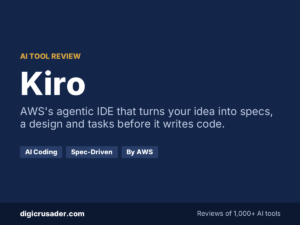
- Kiro: AWS’s spec-driven agentic IDE.
Our verdict
Google Antigravity is the most ambitious take on agent-first coding from a big tech company, and the built-in browser agent is a real advantage for web work. Try it free on a side project. Keep Cursor or Copilot for production work until its limits and pricing settle down.
Google Antigravity FAQ
Is Google Antigravity free?
Yes. There is a free public preview with rate limits. Higher limits come with Google AI Pro (about $20 a month) or AI Ultra plans.
What is Antigravity 2.0?
It is the May 2026 relaunch announced at Google I/O. It adds a multi-agent desktop app, a Go-based CLI and an SDK for building custom agents.
Is Antigravity better than Cursor?
Antigravity is stronger for parallel agents and browser-based testing. Cursor is more mature, more predictable on cost and has a bigger ecosystem.
Sources: The Next Web on Antigravity 2.0, Antigravity developer guide (Lushbinary). Compare more options in our directory of 1,000+ AI tools.