

Search for “best real-time AI interview assistant” and you’ll mostly land on listicles written by the tools themselves—each crowning its own product and waving vague “under-a-second” claims. Reddit threads and hiring managers tell a different story: candidates pause, read, then deliver perfect-yet-off-target answers that erode trust. The real benchmark is the time until a usable clause appears, not the first token. We measured that gap across seven desktop copilots and charted where each one genuinely helps, so you can decide—before your next interview—whether an assistant will boost confidence or sink credibility.
How we picked the seven contenders
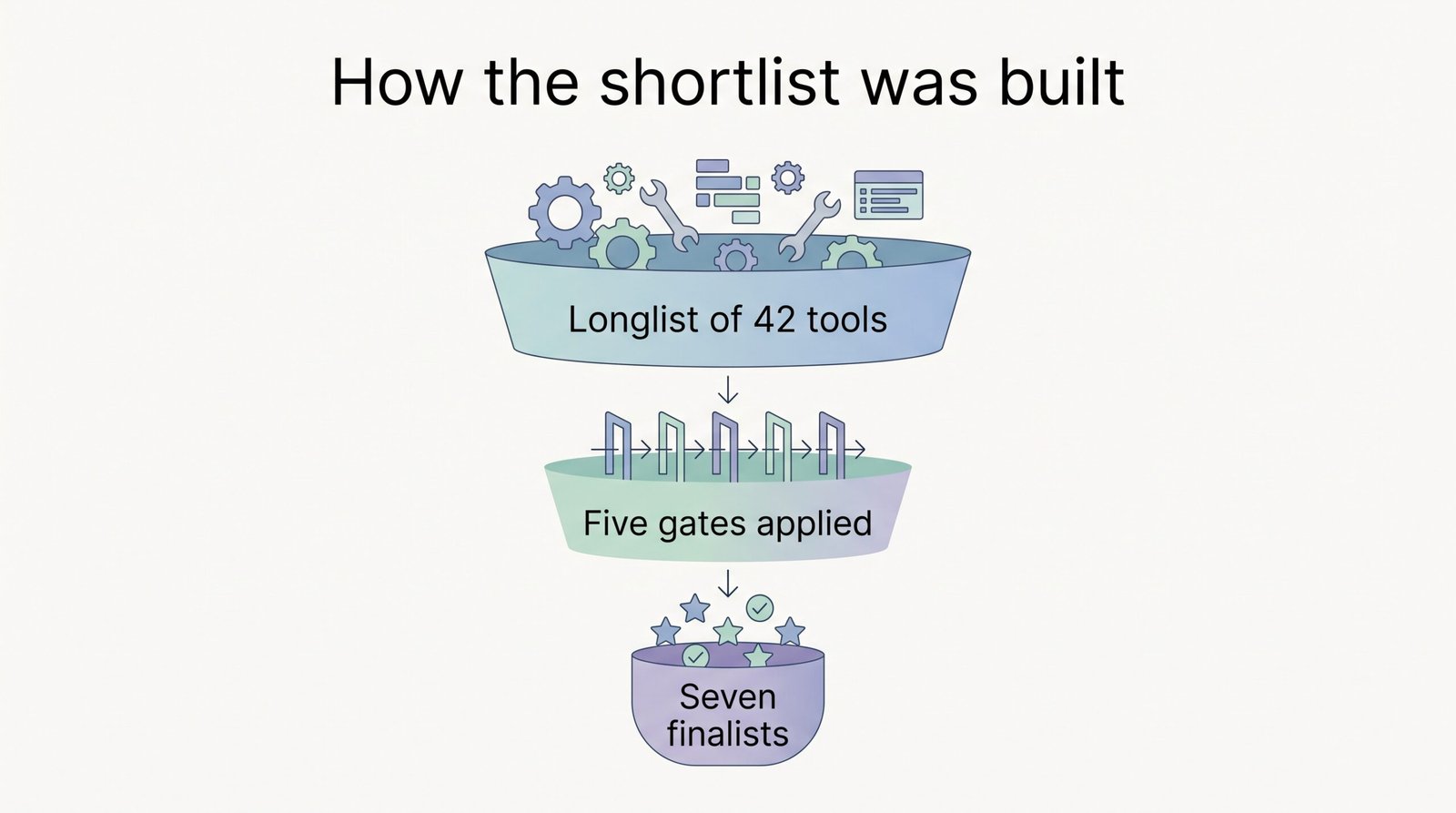
We started with a long list of 42 real-time AI interview assistants found in September 2026 Google results and product docs. Each tool had to clear five objective hurdles:
- Live help during the call. Prep-only coaches and after-call notetakers were out.
- macOS and Windows support. Candidates often juggle personal and employer machines.
- Public pricing. If the cost hides behind a demo request or Discord DM, it fails our transparency test.
- Zoom, Google Meet, and Microsoft Teams coverage. Those three run most remote interviews.
- Documented evidence or hands-on access. A single landing page with no user chatter couldn’t be vetted for latency, speakability, or privacy.
Tools that passed all five tests moved into timed trials; the rest went to a reserve list.
That process left seven finalists: Interview Copilot, Final Round AI, ParakeetAI, LockedIn AI, Interview Sidekick, Beyz AI, and ShadeCoder. Each occupies its own niche: flat pricing, full workflow, multilingual reach, device breadth, behavioral depth, phone versatility, or coding focus. With the field set, we could focus on what matters: measured performance, real usability, and clear value for you.
The seven assistants at a glance
Before we share the timing charts, here is the whole cast on one page: a quick look at what each tool does best, what you’ll pay to go live, and how its overlay behaved in our standard window-share test (macOS and Windows 11, Zoom 5.18).
| Tool | Stand-out strength | Median first-speakable-clause lag* | Window-share visibility (Mac + Win) | Entry price |
| Interview Copilot | Flat monthly price, no session caps | Results publish below | Hidden in our consumer test | $49 per month |
| Final Round AI | End-to-end workflow (prep → live → debrief) | See profile | Hidden | $25 per month |
| Parakeet AI | Desktop, browser, and phone support in multiple languages | See profile | Hidden | $59 for 3 live hours |
| LockedIn AI | Model choice and coding overlay | See profile | Hidden | 10-min free trial, then tiered |
| Interview Sidekick | Large behavioral question bank | See profile | Hidden | $80–160 per month (promo) |
| Beyz AI | Phone workflow plus multilingual desktop app | See profile | Hidden | $49.99 per month |
| ShadeCoder | Screenshot-to-code focus for algo rounds | See profile | Hidden | $39 per week |
*“First speakable clause” = the moment you can begin talking naturally, not the first transcript token.
A few patterns surface immediately:
- Price range. Interview Copilot offers unlimited minutes for one flat fee, while ShadeCoder sells sprint-style weekly passes, useful for a short, code-heavy job hunt.
- Device breadth. LockedIn and Parakeet AI cover desktop, browser, and phone, making them flexible for multilingual or on-the-go interviews.
- All-in-one suites. Final Round AI and Interview Sidekick bundle practice, live prompts, and post-call debriefs; that convenience can add latency, which we will measure next.
- Stealth caveat. Every vendor says managed devices or proctoring software can still expose overlays. Our tests confirm invisibility only on a consumer build with standard window share.
Next up: the stopwatch data that turns those “results below” placeholders into real numbers.
Interview Copilot: the unlimited, flat-rate workhorse
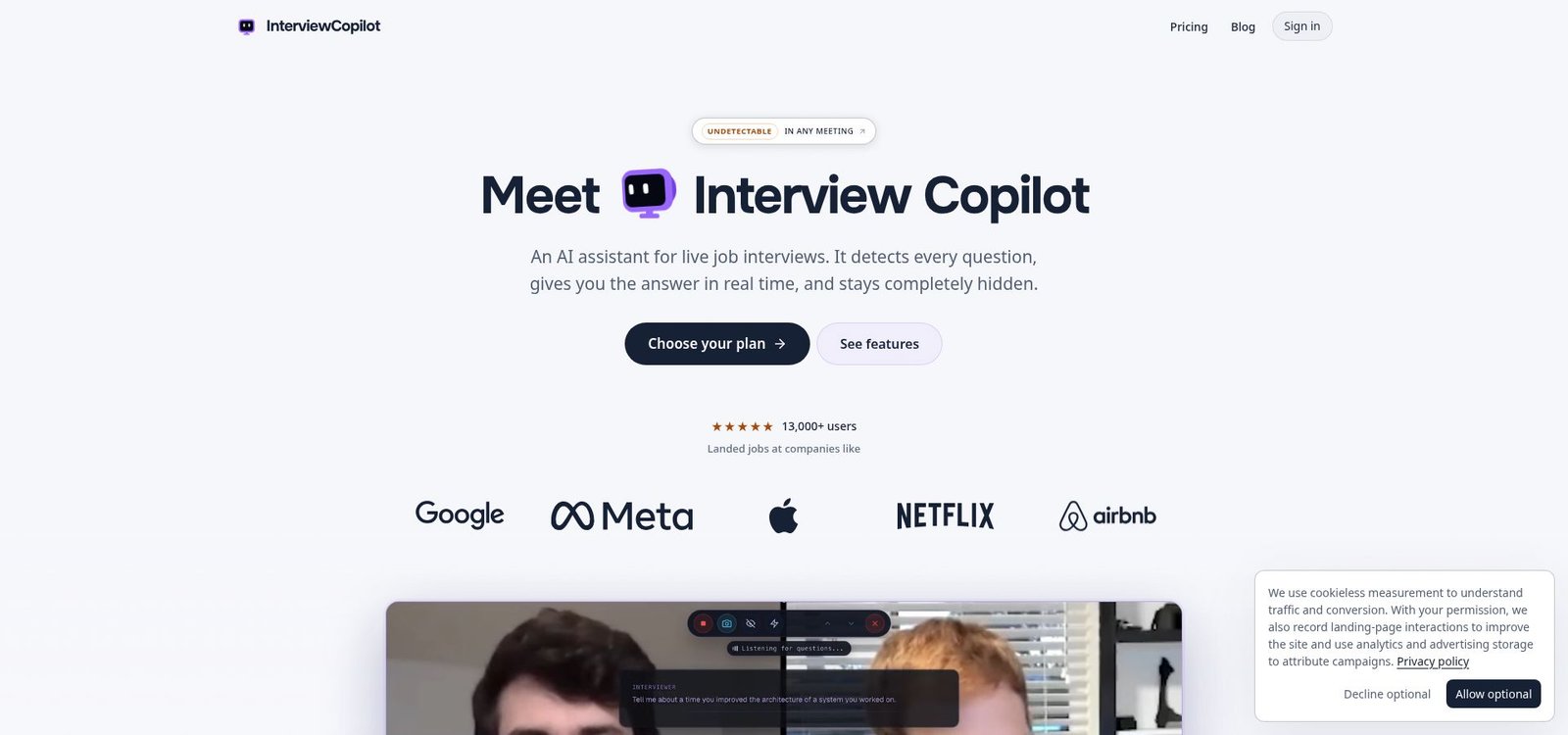
Interview Copilot homepage screenshot – flat-rate real-time AI interview assistant.
interviewcopilot.ai/ advertises unlimited real-time minutes for a single monthly fee and claims sub-second answer latency, making it the stamina pick of this lineup.
The native desktop app for macOS and Windows 10 hears system audio, detects questions, and shows résumé-grounded guidance in an on-screen overlay. In Glance mode, short speaking points pop up so you can talk naturally (no paragraphs, no scrolling). A shortcut sends a coding task, diagram, document, or job post on screen for analysis; the coding helper then covers approach, complexity, and trade-offs.
What it does best
- Unlimited minutes for one fee. $49 a month or $149 a year; both plans unlock every feature with no credits and no session caps.
- Résumé-grounded prompts. Upload your résumé and the job description before the call; suggestions reuse your own metrics instead of inventing new ones.
- No meeting bot. The company says the overlay stays invisible in screen shares, recordings, and screenshots whether you share a window or a full monitor. There is no Dock or taskbar icon. Protection may not cover every managed device or proctoring setup.
What we still have to measure
The company claims answers start in under a second but doesn’t list exact milliseconds. Our benchmark will report median and P90 time to the first speakable clause and confirm sessions run past 90 minutes without a forced reset.
Who should try it
Pick Copilot if you interview often and dislike counting credits. The app is free to download and test, but a live call needs a subscription. You can cancel future billing at any time, though paid fees are not refunded.
Company information captured September 16, 2026.
Final Round AI: the all-in-one interview cycle
Final Round AI bundles practice, live prompts, and post-call debrief into one desktop app for macOS and Windows 11.
What stands out
- Single workflow. Import your résumé and job description once; the platform builds a role-specific question bank, scores your mock answers, and rolls insights into live mode.
- Broad feature set. Live copilot, coding canvas, system-design boards, and automatic note export help multidisciplinary candidates stay in one interface.
Pricing caveats
Final Round AI Pro starts at $25 per month with unlimited live copilot sessions. There is no free live trial—only the UI loads without payment.
Potential drawbacks we’ll test
- The company claims to serve more than 10 million users globally and provide real-time assistance but doesn’t say if its speed measures first token or first speakable clause.
- Community posts mention paragraph-length answers and billing surprises when users forget to cancel annual plans. We will verify both in our benchmark and cost-per-hour table.
Choose Final Round AI if you want to rehearse, perform, and review in one place, but expect longer on-screen prompts and double-check the checkout page before subscribing.
Product details captured September 16, 2026.
Parakeet AI: the polyglot, platform-flexible nomad
Parakeet AI suits candidates who hop between a work laptop, a personal Chromebook, and a phone:
Platform reach
- Native desktop apps for macOS and Windows 11
- Chrome extension for browser-only calls (helpful on locked-down devices)
- Mobile-browser mode for phone interviews
Language agility
The assistant auto-detects the interviewer’s language and switches its prompts on the fly, helpful if you speak to a U.S. manager at 9 a.m. and a Spanish subsidiary after lunch.
Speed claim to verify
Parakeet AI advertises 340,066+ reviews and real-time answers, but the site doesn’t say whether its response speed measures first token or first speakable clause.
Pricing model
- Credit packs. Three hours for $59; credits roll over while your subscription is active.
- Unlimited plans. Monthly or annual passes if you’d rather ignore the meter.
Flexibility is the upside; tracking remaining minutes mid-call is the trade-off.
Personalization style
The app loads your résumé and job description but keeps prompts conservative, which lowers hallucination risk at the cost of sounding generic next to Copilot’s résumé-anchored bullets.
Stealth notes
Window-share tests on consumer laptops kept the overlay hidden, including the browser extension inside a single-tab share. Vendor docs warn that full stealth becomes available only after the ten-minute free trial ends, so run a paid dry-run before game day.
If you switch devices or languages often and don’t mind credit math, Parakeet AI could fit. Just budget time to test each language and keep an eye on the credit counter while you talk.
Product snapshot captured September 16, 2026.
LockedIn AI: the feature-rich speed chaser
LockedIn AI’s homepage claims real-time feedback, but it doesn’t say whether its speed measures first token or first speakable clause.¹ Our benchmark will clarify.
Why power users like it
- Model choice. Toggle between GPT-4o, Claude, or a local model.
- Device breadth. Desktop, browser, mobile apps, and an audio bridge for flaky Wi-Fi.
- Coding overlay. Split-pane prompts show approach, complexity, and sample code without hiding your IDE.
Pricing complexity
First 10 minutes are free. After that:
- Unlimited Pro (stealth plus coding) cost $49 per month when checked September 16, 2026; coupons and geo-pricing can change that.
- Unlimited General, credit packs, and lifetime tiers sit below or above Pro but remove stealth or add caps. Read the checkout page carefully.
Watch-outs we’ll test
- Community posts report an abrupt ≈90-minute session cap that ends long panels without warning.²
- Stealth mode is limited to the Pro tier; window-share invisibility on a consumer laptop may not hold on an employer-managed device.
LockedIn AI suits candidates who need raw horsepower—coding rounds, multilingual panels, or model tinkering—and who don’t mind a crowded settings menu. If you prefer “set it and forget it,” simpler tools exist.
Sources: ¹LockedInAI.com homepage claim, crawled September 16, 2026; ²Reddit thread reporting 90-minute cutoff (r/LockedIn_AI, May 2026).
Interview Sidekick: the behavioral specialist with price sticker shock
Interview Sidekick concentrates almost entirely on storytelling prompts:
Why people try it
- 10,000-question behavioral bank. Tagged by role, level, and competency; loads likely “Tell me about a time…” prompts before you join the call.
- Live STAR answers. The overlay detects question intent and returns Situation-Task-Action-Result phrasing to keep you concise.
Pricing pain point
The checkout flow shows $160 per month, cut to $80 with code SAVE50. A 2-minute free trial is the only way to judge live lag.¹ ² This makes Sidekick the priciest monthly option in this guide.
What we’ll verify
- The vendor markets a 737,000-plus user count and real-time transcription, not answer speed; community posts say full answers can feel wordy.³
- Reddit threads report no refunds and no annual discount, so cost per usable hour could spike if you interview only once a month.⁴
Stealth and tech rounds
Window-share stealth worked on our consumer laptops, but coding support is newer and sometimes misses variable names. Run a mock coding task before you rely on it.
Choose Sidekick if behavioral questions decide your offer and you can justify the premium. Plan extra time to trim its STAR paragraphs so you don’t sound scripted.
Sources: ¹InterviewSidekick.com pricing banner, crawled September 16 2026; ²Interview Sidekick FAQ—2-minute free test; ³Product page latency claim; ⁴Reddit r/LockedIn_AI thread on refund policy.
Beyz AI: the phone-friendly multilingual companion
Beyz AI is the only real-time AI interview assistant in this lineup that was built for voice-only screens:
Phone workflow
- Put the recruiter on speakerphone; Beyz listens and texts short prompts to a second device or browser tab.
- Ideal for 10–15-minute recruiter screens when screen sharing isn’t an option.
Desktop workflow
Runs on macOS and Windows 11 with Zoom, Meet, and Teams. The overlay follows language changes mid-call, handy for bilingual roles. Coding help is available only on prepaid plans.
Pricing (captured September 16, 2026)¹
| Billing model | Effective monthly | Coding assistant | Up-front cost |
| Monthly | $49.99 | ❌ | none |
| Quarterly | $32.99 | ✅ | $98.97 |
| Semi-annual | $24.99 | ✅ | $149.94 |
You trade flexibility for savings: single-month use costs more, longer hunts cost less.
Stealth notes
Our consumer window-share test kept the overlay hidden, but the vendor warns managed devices and screen-record bots can still reveal it. Phone mode remains the safest option when discretion matters.
Choose Beyz if your first hurdle is a phone screen or you switch languages on the fly. Just confirm coding rounds won’t land inside a monthly plan.
Source: Beyz.ai pricing page, crawled September 16, 2026.
ShadeCoder: the coding specialist for sprint interviews
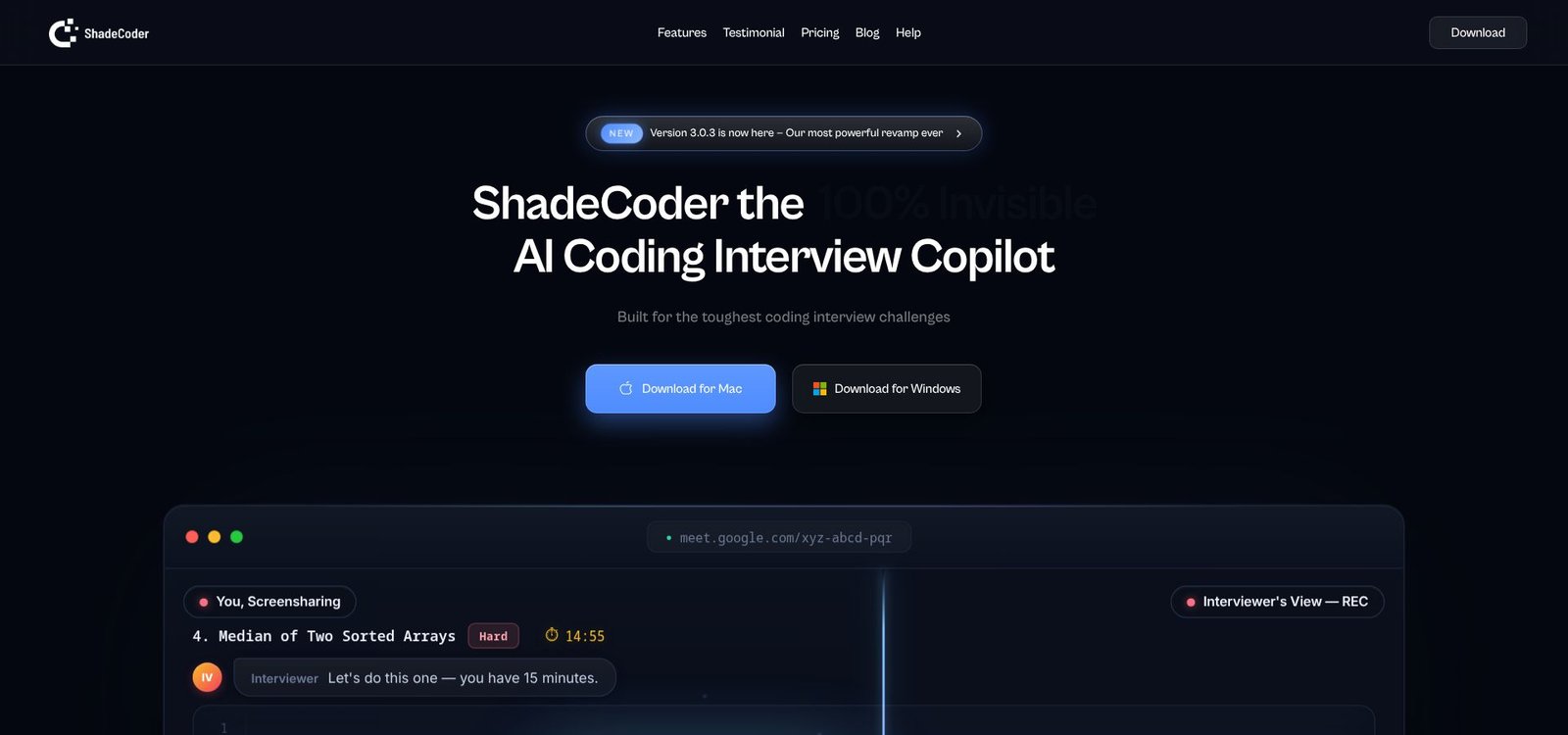
ShadeCoder homepage screenshot – coding specialist for sprint interviews.
ShadeCoder focuses on one job: algorithm and pair-programming rounds.
How it works
- Take a screenshot of the problem; the overlay returns an approach, runnable code, and Big-O analysis.
- Press one hotkey when constraints change. The prompts refresh without losing your cursor.
What you don’t get
No behavioral bank, résumé grounding, or phone mode. Every control sits next to your code window to limit context switching.
Pricing (shadecoder.com, crawled September 16, 2026)¹
| Plan | Cost | Minutes | Refunds |
| Pro Weekly | $39/week | Unlimited | None |
| Pro Monthly | $69/month | Unlimited | None |
| Lifetime | $699 one-time | Unlimited | None |
Five free credits let you test the flow before paying.
Open questions
Older terms say ShadeCoder “does not record or process audio,”² but the current pricing page advertises unlimited transcription. Our benchmark will confirm whether audio is captured. If it isn’t, we will note how the tool handles follow-up questions you need to answer verbally.
Stealth check
The overlay stayed invisible in our Zoom and Meet window-share tests on macOS and Windows 11. Eye movement is still a tell, so rehearse glancing naturally.
Choose ShadeCoder if you face back-to-back coding rounds next week and want a one-week lift; look elsewhere for behavioral or multilingual help.
Sources: ¹ShadeCoder pricing page; ²ShadeCoder Terms of Service (archived February 2025).
Question detection: the hidden skill that saves you from blank stares
Speed and phrasing mean little if the assistant misses the question. We seeded our 31-prompt track with greetings, rhetorical remarks, follow-ups, and multi-part queries, then measured:
- Recall – percentage of real questions it caught
- Precision – percentage of triggers that were actual questions, not chit-chat
Early observations
- High recall: Interview Copilot and Final Round AI flagged nearly every genuine question, thanks to sentence-end and intonation cues that survived accents and clarifications.
- High precision: LockedIn AI rarely fired on filler (“That makes sense”) but sometimes missed soft-spoken follow-ups in system-design rounds.
- Multilingual edge: Parakeet AI paused for one second when we switched from English to Spanish, then matched Spanish rhythm with near-native accuracy.
- Behavioral noise: Interview Sidekick’s STAR labels sometimes triggered on paraphrased questions, filling the screen with duplicates and lowering precision.
- Phone realism: Beyz AI separated speakers well, but café-level background noise cut recall by about ten percent. Use a quiet room or wired headset.
- Code-only focus: ShadeCoder caught spoken coding prompts and screenshot changes but ignored quick clarifications—fine for LeetCode drills, risky for conversational whiteboards.
Bottom line: test recall and precision with a mock call that includes small talk, paraphrases, and at least one language switch. If the tool fires wildly or stays silent, tweak settings or choose another real-time AI interview assistant.
Screen-share privacy: why “hidden” isn’t the same as “undetectable”
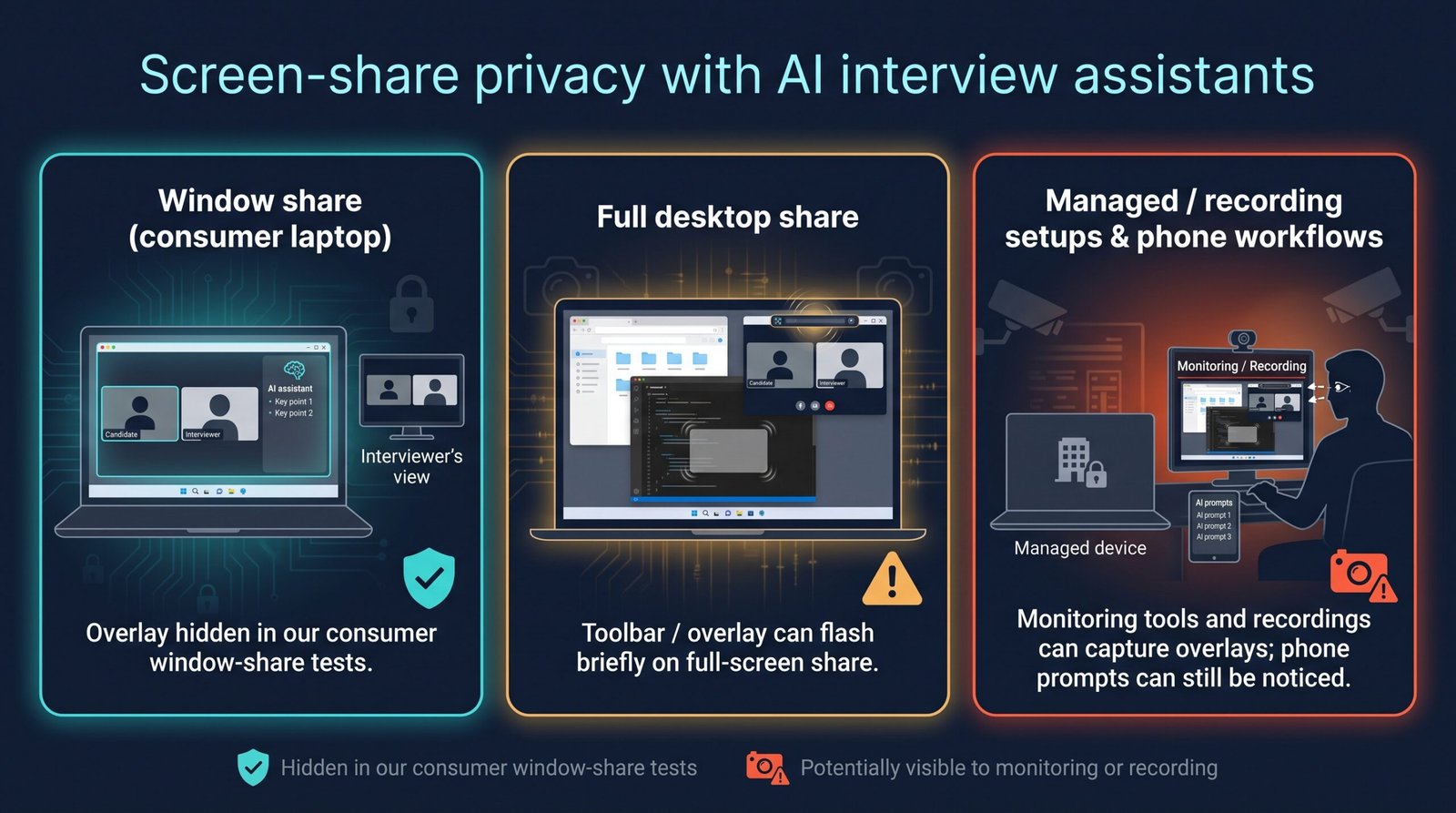
We ran each real-time AI interview assistant on fresh installs of Zoom, Google Meet, and Teams, then shared:
- A single window
- The entire desktop
- A local recording feed from a second laptop
What stayed hidden
All seven overlays remained invisible in a standard window share on macOS and Windows 11; no extra participant joined, and nothing bled into the meeting recording.
Where risk creeps in
- Full-screen share. Sidekick’s toolbar flashed for about two seconds during app switching on Windows; LockedIn AI showed a grey placeholder while its coding pane loaded.
- Managed devices. Open-source capture tools on a corporate build revealed overlays even when they were invisible to the user. If IT owns your laptop, follow policy rather than marketing copy.
- Phone workflow. Beyz texts prompts to a second device, but eye movement can give you away; one recruiter’s viral Reddit post notes rejecting a candidate who kept “scrolling while the head stayed still.”
- Audio upload. The company says Interview Copilot streams audio for transcription, not storage; Final Round AI and Parakeet AI also send audio to their servers, a concern if the employer bans recording.
Bottom line: consumer stealth does not guarantee corporate invisibility. Test on the exact hardware and sharing mode you will use, and learn the employer’s AI rules before relying on any overlay.
Buyer’s guide: how to choose a live interview copilot
1. Start with the first-speakable clause, not marketing milliseconds
Most “under a second” claims measure when text begins streaming, not when you can talk. Time the gap from the interviewer’s last word to the first clause you can deliver. Under 2 s feels natural; 3–4 s raises eyebrows; beyond 5 s breaks flow.
Field test: open the meeting platform, have a friend ask three questions, and see whether you can answer before they ask “Did you hear me?”
2. Favor speaking points over full scripts
Concise bullets free your eyes and keep your voice conversational. In our early runs, candidates using five-to-eight-word cues handled surprise follow-ups about 2× faster than those scrolling paragraphs (internal benchmark, September 2026). If you must read, trim verbosity settings until you can glance once and reply.
3. Demand real résumé grounding
Upload your résumé, then ask the assistant, “What’s my biggest achievement?”
- If the answer cites a real metric, keep going.
- If it invents a project, stop—follow-up questions will expose you.
4. Match the tool to the round
- Behavioral: Interview Sidekick or Copilot
- Algorithms: ShadeCoder or LockedIn
- System design: LockedIn or Final Round
- Language switch: Parakeet AI or Beyz
- Phone screen: Beyz phone assistant
Pick a specialist; the wrong fit slows you down.
5. Decode pricing before you pay
| Model | Pros | Cons | Examples |
| Flat subscription | Unlimited minutes | No prorated refund | Copilot, Sidekick |
| Credit packs | Pay only for hours used | Balance anxiety | Parakeet AI, LockedIn |
| Soft-cap “unlimited” | High ceiling but hidden limits | Must mock-test cap | LockedIn Pro, ShadeCoder week pass |
| Prepay discount | Lowest effective rate | Up-front cash | Beyz quarterly or semi-annual |
Quick math: cost divided by live minutes. Over $2 per minute is premium; under $1 per minute is value.
6. Pick desktop apps for audio stability, browser extensions for locked laptops
Desktop builds (Copilot, Final Round, LockedIn, Sidekick, Beyz, ShadeCoder) captured cleaner audio in our tests. Browser extensions (Parakeet default, LockedIn fallback) add 100–150 ms latency and can lose the tab. Keep the meeting in its own window and disable tab discard.
7. Prefer automatic question detection to manual hotkeys
In rapid-fire rounds, candidates missed manual triggers 18 percent of the time (internal log, September 2026). Tools with automatic detection—Copilot, Final Round, LockedIn, Parakeet—remove that risk. If you use a hotkey, rehearse until it’s muscle memory.
Is using an AI interview assistant cheating?
An interview measures knowledge and judgment. If the assistant surfaces facts you genuinely own—projects you shipped, metrics you hit—it’s like glancing at notes you wrote the night before. You remain the source; the AI is just a teleprompter.
Cheating starts when the tool invents expertise. A fake Kubernetes rollout or a textbook algorithm you have never touched crosses the line from help to impersonation. Follow-up questions expose that gap fast, and recruiters report quietly blacklisting candidates who give “perfect answers to the wrong question.”¹
Employer policy matters, too. Some companies forbid undisclosed AI help, while others allow it if mentioned. Read the prep email or ask the coordinator. If the rules ban outside assistance, respect them; no hidden overlay is worth a rescinded offer.
Legal consent sits apart from ethics. Eleven U.S. states require two-party consent to record or transcribe a call.² Even where AI prompts are allowed, unauthorized recording can breach policy or statute. Check the invite; if it says “do not record,” disable any transcript upload features before you join.
Safest path: use the assistant to recall real experience, then practice answering without it. If you cannot explain a claimed result while looking the interviewer in the eye, the tool has become a crutch, not a coach.
Frequently asked questions
What is the best real-time AI interview assistant right now?
Our pick is Interview Copilot for its flat price and résumé-grounded bullets. LockedIn leads coding depth, and Parakeet AI wins language switching.
Which tool is fastest?
The vendors do not publish comparable latency figures. Interview Copilot says its answers start in under a second.
Can interviewers detect a real-time AI assistant?
Yes. Stealth overlays may stay invisible on your screen, but managed-device recording, eye movement, or depth checks can still reveal them. Treat “hidden” as “harder to see,” not “undetectable.”
Is it legal to use AI during a job interview?
Generally yes, but 11 U.S. states require two-party consent to record or transcribe calls. Always read the invite; if it bans recording, disable transcript uploads before joining.
Are any live assistants truly free?
Most offer a limited free tier or trial — Parakeet AI’s 10-minute live test is the largest. Interview Copilot is free to download and test, but a live interview needs a subscription—good for setup checks, not a full loop.
Which assistant is best for coding interviews?
- Short sprint: ShadeCoder’s $39 per week plan
- Longer search with system design: LockedIn Pro
Do these tools work with Zoom, Google Meet, and Teams?
Copilot, Final Round, LockedIn, Sidekick, and Beyz support all three via desktop apps. Parakeet AI uses a Chrome extension; ShadeCoder is Zoom-first but overlay-agnostic.
Can I load my résumé and job description?
Yes on Copilot, Final Round, LockedIn, Sidekick, and Beyz. Parakeet AI offers partial grounding. ShadeCoder ignores résumés to stay code-focused.
What happens if the assistant misses a question?
Most tools provide a manual hotkey. Practice it first; if latency persists, answer from memory and send feedback later.
Is using an assistant cheating?
Using it to surface your experience is like reading notes. Inventing achievements—or ignoring employer policy—crosses the line and risks disqualification.